Alignify & Grid Calculation Tool
Bezahlt
Betriebssystem:
Sprache:
Beschreibung
Discover Alignify & Grid Calculation Tool: Your Essential CAD Companion
- Advanced Alignment Capabilities: Align objects effortlessly to a base entity with options for left, right, top, bottom, horizontal/vertical centers, and Z-axis (top, bottom, center)—visualize snapping walls or fixtures perfectly without manual tweaks, supporting lines, polylines, blocks, text, Xlines, and rays for infinite precision.
- Smart Bounding Box and Z-Extent Handling: The tool intelligently calculates object boundaries and elevations, ensuring accurate placement even for complex 3D models—picture aligning annotations or blocks in a multi-level structure with zero guesswork.
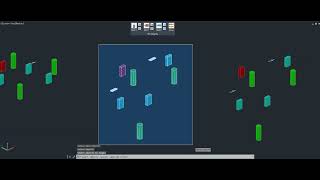
- Flexible Arraying for Repetitive Tasks: Create linear or grid arrays via a user-friendly dialog, specifying X/Y distances and quantities—envision duplicating bolts or symbols in a mechanical assembly, instantly forming structured patterns that maintain consistency.
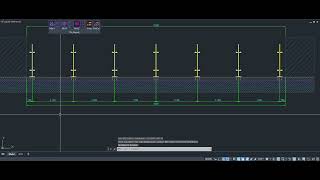
- Grid Generation with Customization: Choose from multiple modes to draw axis lines or insert blocks at calculated positions, with previews, jig-based adjustments for origin/rotation, and options like alternate patterns or end exclusions—imagine generating a building grid complete with dimensions, tailored to your project's needs.
- Layer, Color, and Cleanup Integration: Manage outputs on custom layers with color choices, add automatic dimensions, and selectively delete generated lines—see how this streamlines workflows, minimizing clutter and boosting productivity.
- Cross-Grid Support for Comprehensive Layouts: For select modes, extend to perpendicular directions using the same settings—visualize creating a full orthogonal grid for floor plans, ensuring spatial accuracy across 2D and 3D environments.
- Time-Saving Automation: By handling repetitive positioning and replication, Alignify cuts down on manual labor, accelerates iterations, and delivers reliable results—ideal for professionals tackling demanding designs with enhanced speed and coherence.
Informationen zu dieser Version
Version 2.0.0, 14.01.2026
Added New Command for Grid Calculaiton Tool
Fixed some bugs.