Test App_Do not download
Beschreibung
Foreman is an automated document QA/QC and governance platform for Autodesk Forma that catches document issues before they cause rework and eliminates repetitive project management at scale.
Thousands of files with inconsistent names, missing metadata, and PDF title blocks that don't match. Manual spot-checks take hours and issues go unnoticed until handover.
Foreman automates document QA/QC across your Autodesk Forma projects, checking every file so you don't have to. Beyond QA/QC, it provides a complete toolkit for project setup, team onboarding, and governance.
Key Features
Automated Document
QA/QC Define what good looks like, run checks automatically, and act on violations. Validate naming conventions, required metadata, allowed values, and content match rules. Foreman downloads PDFs, extracts text from zones, validates metadata, and checks naming across every file in one run.
Built-in ISO 19650 Rules & Customization
Start with built-in ISO 19650 rule sets (Full and Core variants) or Basic Naming Hygiene. Clone and customize for your standards. Assign different rule sets per folder.
PDF Zone Extraction & OCR in 15 Languages Draw extraction zones on title blocks. Size variants auto-match A0 through A4. Tesseract extracts text from scanned PDFs in 15 languages. AI-powered regex builder generates patterns from examples — no code required.
QA Dashboard & Export
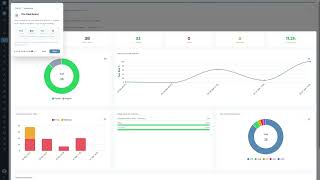
Track violations from Open to Resolved on an interactive dashboard. Export as CSV, Excel, or branded PDF reports.
Attribute Extract
Select folders, pick standard and custom attributes, and export to CSV, Excel, or JSON. Upload your own Excel template and Foreman populates it preserving your formatting. Schedule recurring extracts with email notifications.
Permissions Graph & Member Audit
Visualise folder permissions as an interactive graph. Drill into any level, edit access inline, and audit membership across projects to spot permission gaps.
Project Matrix Wizard
A guided workflow to define your project structure. Import roles from CSV or use AI Assist to generate suggestions. Deploy folder templates with recommended permission strategies across projects in a single operation.
Bulk Member & Role Management
Add members individually or in bulk. Restructure legacy formats using AI into the Party-Function-Discipline model. Sync role and member data automatically.
Access Requests & Analytics
Create custom access request forms with a self-service portal. Auto-approve based on domain, department, or role—or route for manual review. Track approval rates, response times, and trends.
Scheduled Automation
Automate QA/QC checks, attribute extracts, folder validation, and audit snapshots on cron schedules. Receive email notifications with results.
Cross-Project File Search
Search files across multiple projects at once. Filter by name, type, date, and creator. Export results to CSV and analyze storage usage.
Multi-Account & Tenant Management
Manage multiple Autodesk Forma accounts from one place. Switch between APS configurations instantly—ideal for consultants and multi-org teams.
AI Assistant Integration (MCP)
Over 75 tools via the Model Context Protocol, enabling Claude, Cursor, and Copilot to manage your projects conversationally.
Dashboard & ROI Calculator
A personalized dashboard that adapts to how you work, plus an ROI Calculator that estimates time and cost savings from your actual usage data.
Enterprise-Grade Security
Autodesk identity authentication, two-factor authentication, passkey support, OAuth 2.1, role-based access control, and audit logging.
Who Is Foreman For?
Document controllers, QA managers, project managers, and administrators needing automated compliance, naming convention validation, and consistent project governance across their Autodesk Forma portfolio.