Autodesk Data Exchange Connector for Navisworks®


Digitally signed app
説明
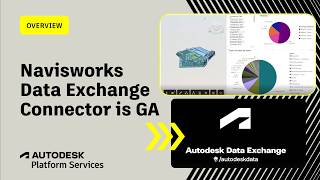
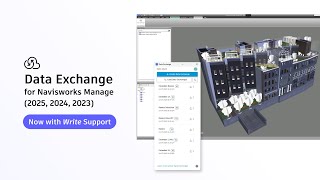
Streamline Coordination with Better Data Sharing The Data Exchange Connector for Autodesk® Navisworks® Manage makes it easy to create and share Data Exchanges directly from your federated models. Whether you're sharing coordinated model data with Revit teams, running analysis in Power BI, or handling project handoffs to stakeholders, the connector helps you get more value out of the data already in your Navisworks model.
Expand Your Coordination Sources The connector also lets you load Data Exchanges created from other tools — including Autodesk® Inventor®, Tekla® Structures, Rhino®, and IFC — directly into Navisworks for coordination and clash detection. This complements Navisworks' existing file format support and reduces the need for intermediate exports like IFC when working with tools that have a dedicated Data Exchange connector.
Part of the Autodesk Data Exchange Ecosystem The Navisworks connector works alongside the Data Exchange Connectors for Revit, Inventor, Tekla, Rhino, and Power BI. Exchanges created in any of these tools can be loaded into Navisworks, and exchanges published from Navisworks can be consumed by any connector in the ecosystem.
Refer to our comprehensive video tutorials and documentation to expedite your onboarding process with data exchange connectors.
Third-Party Notice:
If you are authorizing a third-party application to access your Autodesk account, the application you are connecting to is provided by a third party and not provided by Autodesk, Inc. By clicking install, you are allowing the third-party app to access and use your data in accordance with the third party’s legal terms and privacy policy, and you assume all responsibility for such access and use via the third-party application.
Authentication: This app utilizes 3-legged authentication for accessing the Autodesk Construction Cloud® accounts and projects for creating and loading exchanges.
Note: This app uses a custom installer (and not the standard App Store installer).
This application is subject to the Autodesk Terms of Use and Autodesk Privacy Policy.