
Replace file
說明
Replace File v1.3 - Professional Automation for Autodesk® Inventor®.
The Pain: Do you waste hours renaming files and manually updating drawings? Managing assembly references without Autodesk® Vault® is a nightmare. Repetitive manual tasks lead to errors and kill productivity.
The Solution (v1.3 Update): Replace File v1.3 is designed by an experienced Inventor engineer to solve these exact problems. It now introduces Auto Numbering and Clean Settings, making file management seamless and error-free.
Key v1.3 Features:
Auto Numbering: Create unique IDs automatically for new files, ensuring a clean and organized database.
Smart Property Reset: Automatically wipes outdated iProperties from your new parts while referencing old models, ensuring your metadata stays clean and standardized
Vault-like Experience: Enjoy advanced numbering systems and professional workflows even if you don’t have Vault.
Automatic drawing updates: This is the "game-changing" feature. After performing a Replace in the Assembly environment, the tool automatically locates and updates the References for all related drawing files. You will never have to deal with the annoying "Resolve Link" prompt again.
How to Use This
Open the Inventor assembly (.IAM) containing the component you wish to replace.
Select the component in the graphics window or in the Model Browser.
Click the “Replace File” button located on the “Assemble” tab.
Browse and select the new Inventor file (.IPT or .IAM) to be used as the replacement.
The application will automatically update the assembly structure, maintain references, and clean up the specified properties.
Simplify your file management workflow and reduce the time spent manually updating component references with Replace File!
Note: This app uses a custom installer to ensure all automation components are correctly configured.
試用版描述
Licensing & Trial Period
15-Day Free Trial: The app includes a built-in 15-day free trial. You can start using all features immediately after installation without a license key.
Full Activation: To continue using the app after the trial period, please purchase a subscription via the Autodesk App Store.
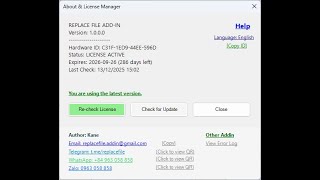
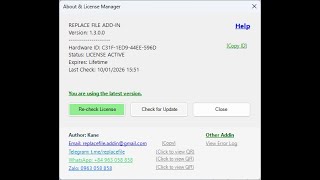
How to Get a License Key: As part of our security process, users need to provide their unique Hardware ID (HWID), shown in the app, to the publisher at replacefile.addin@gmail.com to receive the license key for full activation.



Using this tool, it's impressive how much time it saves with a single click. Furthermore, the optimization of iproperties and version cleanup are truly useful when you want to create new parts within an assembly.
Data is much cleaner thanks to the ability to clean up existing unnecessary iProperties when replacing files.
The work time is noticeably reduced.
Thank you for your review! I'm glad to hear that the iProperties cleanup feature is making your data cleaner and saving you time. We will continue to improve the tool for an even better user experience.
Used daily in a manufacturing environment. The replace function is reliable and reduces manual errors significantly.
Thank you so much for your support, Duy! It’s great to know that our tool has become a reliable part of your daily manufacturing workflow. Reducing manual errors is exactly what we aimed for. Happy designing