Merge Hatch Plus
説明
Enhance your hatch workflow with this app, which offers three essential commands:
1. Merge Hatch Plus:
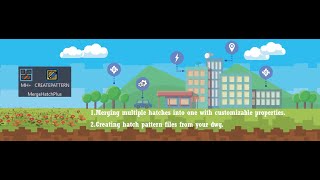
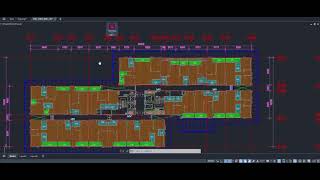
This command enables you to quickly merge multiple hatches into a single, unified hatch entity. With an intuitive dialog box, you can adjust key properties such as pattern, scale, angle, layer, color, and transparency for the merged hatch. The smart auto-selection option allows the app to automatically detect and select all hatches matching the base pattern—eliminating the need for tedious manual picking. The dialog also remembers your last used settings, streamlining repetitive tasks.
Features include:
- Intelligent auto-selection of hatches with the same pattern as the base hatch.
- Selection of multiple hatches to combine their boundaries into one.
- Adjustment of hatch pattern, scale, and angle with real-time feedback.
- Layer selection from a sorted list, with a preview of the selected layer name.
- Color selection using Autodesk® AutoCAD® color dialog, with options for ByLayer, ByBlock, and custom colors.
- Transparency control for the merged hatch.
2. Create Pattern:
This command allows you to generate a hatch pattern file (.pat) from an existing hatch in your drawing. Simply select a hatch, and the command will extract its pattern definition, making it easy to standardize, reuse the pattern in other drawings or share it with colleagues.
Features include:
- Automatic extraction of pattern data from the selected hatch.
- Option to save the pattern file with a user-specified name and location.
3. Sum & Tag:
The Sum & Tag command in Merge Hatch Plus provides a powerful calculator for totaling areas and perimeters/lengths from hatches or closed polylines, with intelligent filtering based on a base object's pattern (for hatches) or layer (for polylines) to ensure precise aggregation in detailed drawings. Begin by selecting a reference hatch or closed polyline to set the filter, then pick objects to process—summing only matching items and presenting results in an interactive dialog with effortless unit conversions between SI and Imperial systems (e.g., mm² to m²/acres for areas; mm to m/miles for lengths).
Features include:
- Smart filtering by pattern (hatches) or layer (polylines) for precise summation in complex drawings.
- Extensive conversions: metric (mm²–km², mm–km) and imperial (inch²–mile², inch–mile) units.
- Interactive dialog with counts, source values, unit dropdowns, and real-time previews.
- Flexible tagging modes via buttons: "Sum All (One Tag)" for a single customizable tag with optional notes, background mask, and manual insertion; or "Individual (Tag Each Object)" for automatic tagging of each matching item at its bounding box center, streamlining bulk annotations without manual input. Customizable text height applies to all tags for consistent output.
This empowers architects, engineers, and drafters to quickly handle quantity takeoffs, minimize errors, speed annotations, and boost efficiency in design, planning, and analysis workflows.