
Merge Hatch Plus
Win32 및 64, 한국어일반 사용 지침
To use this App in Autodesk® AutoCAD®, follow these steps:
- Merge Hatches (DV_MHPLUS):
1. Type DV_MHPLUS at the command line or by clicking the button on the Ribbon.
2. Select a base hatch (must be a pattern hatch, not solid or gradient).
3. The dialog will display the base hatch’s properties and allow you to:
a) Change the hatch pattern (from a full list of available patterns).
b) Adjust scale and rotation angle.
c) Assign a new layer.
d) Select a new color.
e) Set transparency.
4. Enable “Only merge hatches matching base pattern name” to let the app auto-select all matching hatches - no need to manually pick each one.
5. Confirm your settings and click OK.
6. The tool will merge all selected hatches into one, apply your chosen properties, delete the originals, and regenerate the drawing.
- Create Hatch Pattern File (DV_CreatePattern):
1. Type DV_CreatePattern at the command line or by clicking the button on the Ribbon.
2. Select a single hatch from which to create the pattern.
3. Choose a save location and filename for the .PAT file.
4. The pattern definition will be exported for reuse in other drawings.
5. You can now use this pattern in the drawings by loading the .pat file: copy it into AutoCAD’s "Support" folder, usually located at: C:\Program Files\Autodesk\AutoCAD xxxx\Support (with xxxx being the version of AutoCAD you're using).
- Sum & Tag (DV_SumTag):
1. Type DV_SumTag at the command line or by clicking the button on the Ribbon.
2. Select a base hatch (to filter by pattern) or closed polyline (to filter by layer) as the reference object.
3. Select the objects to sum; the tool automatically filters and calculates total area and perimeter/length for matching items.
4. Review results in the dialog, including count, source values, and real-time unit conversions across SI and Imperial systems.
5. Choose a "Tagging Mode" via radio buttons: "Sum All (One Tag)" for aggregated results or "Individual (Tag Each Object)" for per-object annotations.
6. Adjust "Text Height" as needed, then click "Insert Tag Value":
* For Sum All: Opens a secondary dialog to edit the tag name, auto-generated results, and optional notes; pick an insertion point to place the single tag with background mask.
* For Individual: Automatically calculates and inserts tags at each matching object's bounding box center with background mask—no manual input or point selection required—for efficient bulk labeling.
스크린샷



명령
| 리본/도구막대 아이콘 | 명령 | 명령 설명 |
|---|---|---|

|
DV_MHPLUS |
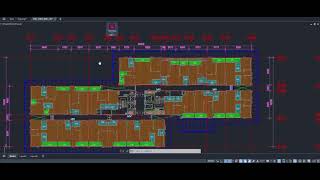
This command enables you to quickly merge multiple hatches into a single, unified hatch entity. With an intuitive dialog box, you can adjust key properties such as pattern, scale, angle, layer, color, and transparency for the merged hatch. The smart auto-selection option allows the app to automatically detect and select all hatches matching the base pattern—eliminating the need for tedious manual picking. The dialog also remembers your last used settings, streamlining repetitive tasks. |

|
DV_CREATEPATTERN |
This command allows you to generate a hatch pattern file (.pat) from an existing hatch in your drawing. Simply select a hatch, and the command will extract its pattern definition, making it easy to standardize, reuse the pattern in other drawings or share it with colleagues. |

|
DV_SUMTAG |
Sum Hatch/Polyline: performs area and perimeter/length calculations, supports unit conversion, and allows tagging of results. |
설치/설치제거
The installer that ran when you downloaded this app/plugin from the Autodesk App Store will start installing the app/plugin. OR, simply double-click the downloaded installer to install the app/plugin. To uninstall this plug-in, exit the Autodesk product if you are currently running it, simply rerun the installer, and select the "Uninstall" button. OR, click Control Panel > Programs > Programs and Features (Windows 8.1/10/11) and uninstall as you would any other application from your system.
추가 정보
알려진 문제
문의
작성자/회사 정보
지원 정보
Support email: dat.phucvo@gmail.com
버전 내역
| 버전 번호 | 버전 설명 |
|---|---|
|
2.0.0 |
- Added a new command: Calculate area/perimeter with unit conversion, and tag results. |
|
1.2.0 |
- Fixed the "DV_CREATEPATTERN" command: resolved an issue when assigning a new name to a Pattern during export. |
|
1.1.0 |
Added Features: Auto Select Hatches have the same pattern name, results panel and more... |
|
1.0.0 |
Initial Release. |
