
RV ClashBox
描述
This version works with Autodesk® Navisworks® 2026 only. To try on all other Navisworks versions, please visit https://rv-boost.com/rv-clash-box/
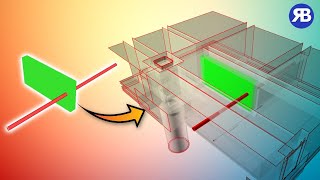
Do you need an easier way to see and understand Navisworks clashes in context? Creating a section box around each clash and making its surrounding elements transparent is the answer. Even better, this is a one-click job with RV ClashBox, no matter how many clashes you have. Watch the video below to see how it’s done!
Here’s what RV ClashBox will automate for you:
● Generate section-boxed viewpoints from your clash tests
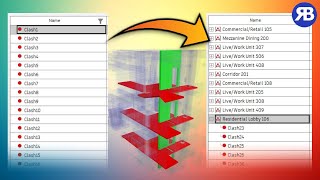
● Group clashes by the nearest room or space. (Can also pre-group clashes by Level/Grid Intersection/etc.)
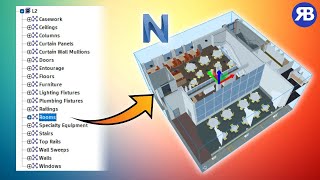
● Clip the active view to one or multiple rooms
● Create section-boxed viewpoints for one or several rooms
● Customize any view settings, such as section box size, element color/transparency, view orientation, and more.
Why not start right now with this free trial with full functionalities?
Find out more at https://rv-boost.com/rv-clash-box/
试用版描述
This trial offers full app features for 14 days. It works with Navisworks 2026 only. To try on all Navisworks versions, please visit https://rv-boost.com/rv-clashbox/


Worked well for me