
BIM Clash Manager
Description
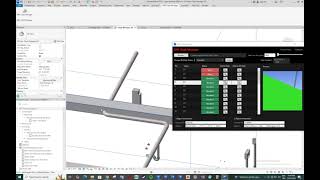
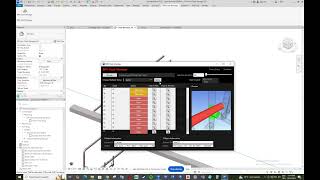
Clash Manager is a lean coordination panel that accelerates clash review inside Autodesk® Revit®, boosts meeting efficiency, and standardizes status management.
It imports Autodesk® Navisworks® HTML reports, resolves ElementIds, and lets you locate each clash in the model with one click.
With Find in Plan / Find in 3D and automatic Section Box + adjustable Padding, focusing takes seconds; multi-select and bulk status change capture decisions instantly. Saves your changes!
Key Features:
Fast import: Navisworks HTML → (Layer→Level), ElementId parsing.
One-click navigation: Jump to Plan or 3D; automatic Section Box with tunable Padding.
Color-coded statuses: Open (red), Approved (orange), Resolved (green), Ignored (gray).
Multi-select & bulk update: Manage similar clashes in one step.
List entry: Retrieves your old data when you close and reopen your current list, as it's stored in the background. This way, you don't lose track of resolved conflicts, etc. Saves your changes!
Filters & search: Level / Discipline / Status filters for large models.
Notes & ownership: Add concise notes and responsibility tags (will be added with the update)
Export: Shareable Excel/HTML reports (will be added with the update)
Template-friendly: Apply your project View Templates to open views.
Local & secure: Processes data locally by default; no cloud posting unless you export.
Typical Workflow:
- Pre-meeting: Detect in Navisworks → export report → import into Clash Manager.
- During meeting: Focus via Find in Plan/3D; record decisions with Status and Notes.
- Afterward: Export and share; continue on the same list next cycle for full traceability.
What is it for?
BIM Technicians, BIM Specialists, BIM Coordinators, MEP/Architectural/Structural discipline leads, project owners running and anyone interested in BIM.
For a detailed explanation, please click the link below and read the "Read Help Document" section.
Description de l'essai
10-day trial version
It is a full version, there are no restrictions.
You can visit my webpage to purchase.
https://fountaintechnology.net/



Does it work for Revit 2024?
Thank you very much for your interest, the updated version will also include Revit 2024. If you need any support, you can click the "Read Help Document" link above or contact me.
I was tired of copying and pasting IDs back and forth between Navisworks and Revit; this is a perfect solution.
Thank you Ertuğrul Aygündüz, Im very happy to hear this news. If you need any support, you can click the Read Help Document link above or contact me
Mutlaka elinizin altında bulunması gereken bir add-in.
Arayüzü ve kullanımı harika
Teşekkürler Selim Acar, memnun kalmanıza sevindim. Herhangi bir desteğe ihtiyacınız olursa, yukarıdaki Read Help Document bağlantısını tıklayabilir veya benimle iletişime geçebilirsiniz.
Please add support for older versions.
Thank you so much for your interest, I will update it as soon as possible. If you need any support, you can click the Read Help Document link above or contact me.