Autotag by Bimrock AI


Digitally signed app
Описание
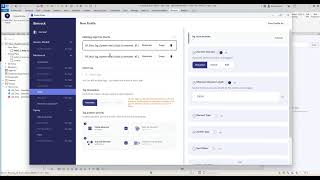
- Create a Profile: Select MEP categories, tag families, filters, and placement rules. Profiles work like View Templates but for annotation.
- Apply to Views: Select one or more views and apply your profile. Tags are placed automatically with intelligent overlap avoidance.
- Edit and Refine: Bulk-edit tags, organize leader lines, and align elbows — no one-by-one fixing.
- Batch Process: Queue multiple views for batch tagging. Select views, apply profiles, and let the queue process automatically.
-
- Profile-Based Automation: Define tagging rules once, apply everywhere. Reusable and shareable across team members.
- Automatic Overlap Avoidance: Tags are positioned intelligently — no manual cleanup of overlapping labels.
- Batch View Processing: Tag entire buildings in one operation. Process 40+ views automatically.
- All MEP Disciplines: Mechanical, Electrical, and Plumbing elements supported, plus general architectural elements.
- Linked Model Support: Works with Revit linked models and workshared projects.
- Custom Family Support: Works with any parameter defined on any element — native and custom Revit families.
- Built-In Defaults: Pre-configured profiles for immediate productivity. No setup required to start.
- Post-Placement Editing: Bulk edit tags, align leader line elbows, and organize annotations after placement.
- No Scripting Required: No Dynamo, no code. Profile configuration through an intuitive UI.
-
- Solo MEP designers and consultants looking to save time on repetitive tagging
- Team leads who need consistent annotation standards across projects and team members
- Firms looking to standardize documentation quality and reduce QC cycles
TIME SAVINGS:
-
- 30-60 minutes saved per floor plan
- 2-4 hours saved when batch-processing building documentation sets
- Time savings compound across projects - a 30-floor building with 5 MEP disciplines means hundreds of views
SUPPORTED REVIT VERSIONS:
-
- Revit 2023, 2024, 2025, 2026
PRICING:
-
- Freelancers/Consultants: $49/mo (1 floating license)
- Firms/Studios: $199/mo (5 floating licenses)
- Enterprise: Custom pricing
- 14-day free trial included, no credit card required
- Yearly billing available (2 months free)
SUPPORT:
-
- Email support with 24-hour response SLA:
- Email us at support@bimrock.ai
- Send us a message at bimrock.ai/support/
- Community support via Discord
- Self-serve onboarding documentation (13 step-by-step guides)
- Check out our documentation at bimrock.ai/docs/
- Guided onboarding available for Firms and Enterprise tiers
- Schedule an onboarding session at bimrock.ai/book-call/
- Email support with 24-hour response SLA:
MORE INFORMATION:
-
- Visit us at bimrock.ai
- Billing Questions? Contact billing@bimrock.ai
- Book a Discovery Call: cal.com/bimrock-ai
FOLLOW US ON OTHER PLATFORMS:
Описание пробной версии
Bimrock Autotag includes a 14-day free trial with full access to all features. No credit card required. No feature restrictions.
WHAT'S INCLUDED IN THE TRIAL:
The trial provides the same experience as the paid version - every feature is fully unlocked:
- Profile-Based Tagging: Create, save, and apply tagging profiles for any MEP discipline (Mechanical, Electrical, Plumbing). Define tag families, element filters, and placement rules.
- One-Click Tag Placement: Select a profile, click Apply, and tags are placed automatically with intelligent overlap avoidance.
- Batch View Processing: Queue multiple views for batch tagging. Process entire building documentation sets - 40+ views in a single operation.
- Post-Placement Editing: Bulk edit tags, align leader line elbows, reposition groups of tags after placement.
- Linked Model Support: Tag elements across linked Revit models and workshared projects (BIM 360/ACC).
- Custom Family Support: Works with any parameter on any element — native and custom Revit families.
- Built-In Default Profiles: Pre-configured profiles for common MEP disciplines. Start tagging immediately with zero setup.
- Team Features: Export and share profiles across team members. Manage user licenses via the Team Management panel.
HOW TO START THE TRIAL:
- Install Bimrock Autotag from the Autodesk App Store.
- Open Revit and navigate to the Bimrock Autotag tab in the ribbon.
- Click "Sign In" and create a free Bimrock account with your email.
- Your 14-day trial starts automatically - no credit card, no activation code.
- Built-in default profiles are ready to use. Tag your first floor plan in minutes.
REQUIREMENTS:
- Autodesk Revit 2023, 2024, 2025, or 2026
- Windows 10 or later
- Internet connection for license activation
WHAT HAPPENS AFTER THE TRIAL:
After 14 days, the plugin remains installed but tagging features are deactivated until a paid plan is activated. Your saved profiles, settings, and configuration are preserved - nothing is lost. Subscribe tp continue where you left off.
PRICING AFTER TRIAL:
- Freelancers/Consultants: $49/month (1 floating license) or $490/year (2 months free)
- Firms/Studios: $199/month (5 floating licenses) or $1,990/year (2 months free)
- Enterprise: Custom pricing - contact sales@bimrock.ai
All plans include email support with 24-hour response SLA, community support via Discord, and access to 13 step-by-step documentation guides at bimrock.ai/docs.
Questions? Contact support@bimrock.ai or visit bimrock.ai