
SPCAD
Win64, EnglishGeneral Usage Instructions
SPCAD™ for AutoCAD is a high-performance engineering add-on designed for professionals who need to process, analyze, and automate complex terrain and spatial data with precision and speed.
SPCAD™ for AutoCAD
SPCAD™ for AutoCAD is a high-performance engineering and GIS plugin designed for professionals who need to import, export, analyze, and manage spatial data with precision. It bridges the gap between CAD and GIS by offering over 180+ specialized tools that simplify complex workflows.
Operating as a lightweight application inside AutoCAD, it allows users to manage over 4,500+ coordinate systems, process LiDAR data, perform advanced hydrological analysis, and automate 3D grading tasks. SPCAD is the ultimate toolkit for surveyors, civil engineers, and site planners looking to boost productivity without leaving their CAD environment.
Key Features
Import/Export Data: Seamlessly exchange spatial data between AutoCAD and external sources. Support includes KML, SHP, CSV, GPX, GeoJSON, LAS/LAZ, and GML formats.
Coordinate Management: Assign, transform, and manage coordinate systems with a library of 4,500+ global systems. Perform precise grid-to-ground transformations and georeferencing.
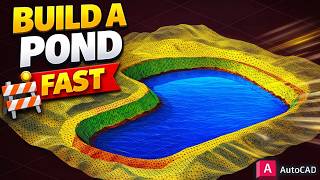
Advanced Topography & Grading (Enhanced in v26.0): Create complex engineered surfaces using the Road, Pad, and Pond Builders. Automate slope transitions and insert stability benches for embankments.
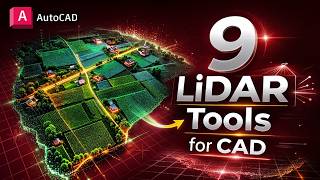
LiDAR Tools: Import and optimize heavy LAS/LAZ point clouds. Perform thinning, clipping, and automated feature extraction for building footprints and vegetation.
DEM & Hydrology: Fetch global elevation data via the OpenTopography API. Map watershed networks, drainage paths, and calculate the least cost path for corridor planning.
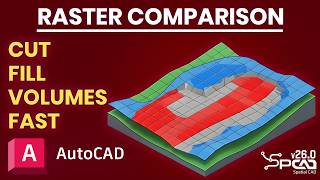
Surface Volume Analysis: Calculate highly accurate earthwork quantities using TIN-to-TIN comparison or high-precision raster grid methods.
Background Maps: Integrate dynamic background imagery from providers like Google Maps, Esri, and OpenStreetMap directly into your georeferenced drawings.
Cadastral Management: Streamline land development with the Parcel Manager. Perform quick lot divisions, construct parcels, and automate legal annotations.
Spatial Analysis: Execute advanced operations including buffers, Voronoi polygons, and convex hulls. Perform complex polygon merging and clipping to generate new project data.
Map Books & Atlases: Automatically generate multi-page map layouts and data-driven sheets. Ideal for large-scale infrastructure and regional mapping projects.
Geometry Optimization: A suite of professional tools to edit and transform vector elements, including DogBone joints, best-fit polylines, and 2D-to-3D conversions.
Real-time Tracking: Track cursor coordinates across multiple systems simultaneously for enhanced spatial awareness during the design process.
Google Earth Integration: Publish your drawings directly to KML/KMZ files with full support for layers and extended data.
Screenshots



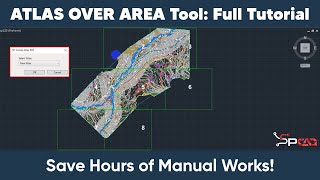
Commands
| Ribbon/Toolbar Icon | Command | Command Description |
|---|---|---|

|
RASTERCLIP_SP |
Clips raster images using user-defined polygon boundaries. |

|
ILAS_SP |
Imports LAS/LAZ point clouds as CAD points with XYZ and RGB support. |

|
LASTHIN_SP |
Spatially thins dense LiDAR datasets to optimize file size and performance. |

|
LASCLIP_SP |
Clips LiDAR point clouds using a user-defined boundary polygon. |

|
LASSLICE_SP |
Extracts LiDAR points within a specified elevation range for targeted analysis. |

|
ILAS3_SP |
Converts LiDAR point clouds into georeferenced GeoTIFF images. |

|
LASTREE_SP |
Automatically detects trees from LiDAR data and inserts CAD symbols. |

|
DNM_SP |
Downloads Digital Elevation Models (DEM) for terrain and mapping. |

|
CNTDEM_SP |
Generates vector contour lines directly from DEM raster data. |

|
WSD_SP |
Creates watershed and drainage networks for hydrologic modeling. |

|
DEMLCS_SP |
Computes the most efficient terrain path based on slope constraints. |

|
RCL_SP |
Generates road surfaces from centerlines with crossfall and slope controls. |

|
PCL_SP |
Creates graded platforms and pads on TIN surfaces. |

|
POND_SP |
Designs pond surfaces with configurable slopes and depths. |

|
SLOPEBENCHES_SP |
Adds stabilization benches and terracing along graded polylines. |

|
WXT_SP |
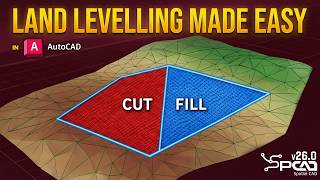
Optimizes terrain to achieve specific target cut/fill ratios. |
Installation/Uninstallation
The installer that ran when you downloaded this app/plug-in from the Autodesk App Store will start installing the app/plug-in. OR, simply double-click the downloaded installer to install the app/plugin. You may need to restart the Autodesk product to activate the app/plug-in. To uninstall this plug-in, exit the Autodesk product if you are currently running it, simply rerun the installer, and select the "Uninstall" button. OR, click Control Panel > Programs > Programs and Features (Windows 10/11) and uninstall as you would any other application from your system.
After installing SPCAD, make sure you have an active internet connection.
Note: The previous version of SPCAD must be uninstalled first from the Control Panel to install the current version.
For activation of the trial, watch the video: https://youtu.be/9rDagYNcHn8
A registration form will appear on the first run, requiring the Name, Email, Country, and Organization.
Fill out the form, click on "Register," and you will be sent a 5-digit code by CADOMATION to the provided email.
Enter the activation code to activate a fully functional trial for 14 days!
Additional Information
Known Issues
Contact
Author/Company Information
Support Information
Visit: https://cadomation.com/SPCAD
Version History
| Version Number | Version Description |
|---|---|
|
26.0 |
26.0 (Build 17.3.2026) New Features LAS/LAZ as Points: Import LiDAR point clouds as CAD points with full XYZ and RGB support. LiDAR Optimization: Thin, clip, and slice dense point cloud datasets for faster CAD performance. Automated Feature Extraction: Automatically generate building footprints and detect trees from LiDAR data. LiDAR to Image: Convert heavy point clouds into lightweight, georeferenced GeoTIFF images. LAZ to LAS Converter: Decompress LAZ files into standard LAS format for easier processing. DEM Downloader: Fetch Digital Elevation Models directly for terrain and mapping projects. Watershed Analysis: Generate drainage networks and watershed boundaries for hydrologic modeling. Least Cost Path: Compute the most efficient terrain paths based on slope and surface constraints. DEM Reprojection: Change coordinate systems of DEMs with adjustable grid resolution. DEM to Contours: Generate vector contour lines directly from elevation raster data. Road Surface Builder: Create road surfaces from centerlines with width, crossfall, and slope controls. Pad & Platform Builder: Design graded building pads on TIN surfaces with automated transitions. Pond Builder: Design pond surfaces with custom depths, side slopes, and benches. Slope Bench Tool: Add stabilization benches and terracing along any graded polyline. Linear Grading: Perform grading based on distance, elevation, or relative height parameters. Surface Flow Analysis: Trace water flow paths across TIN surfaces for drainage evaluation. Raster Volume Comparison: Perform grid-based cut and fill analysis with zonal color reporting. Land Leveling Tool: Automatically optimize terrain to achieve specific target cut/fill ratios. Precision Inquiry Tools: Use new tools for Slope List, Continuous Distance, and Cumulative Distance measurements. Raster Clip: Crop raster images using user-defined polygon boundaries. Remove Bulges: Convert 2D polylines with arc segments into straight-line segments. Improvements Optimized LiDAR Engine: Drastically improved performance when handling multi-million point datasets. Enhanced TIN Manager: Added Erode Hole, Smooth Surface, and Shortest Path operations for surfaces. Smarter Classification: Improved TIN generation by Elevation, Slope, or Aspect with refined ramp controls. Integrated Resources: Direct in-app access to video tutorials, documentation, and sample datasets. Refined UI & Validation: Updated dialog boxes with better input validation and intuitive layouts across all tools. Merge TIN Upgrade: Improved merging workflows with the ability to toggle TIN boundaries ON or OFF. |
|
25.1 |
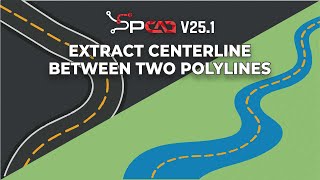
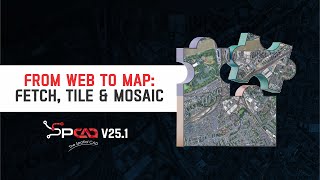
25.1 (Build 28.7.2025) New Features Point Group Manager: Manage and classify point groups. Import from files or DEM, and generate contours, convex hulls, shrink-wraps, and tables. Coordinate Label: Insert X/Y coordinate markers at any location. Cartographic Grid: Generate graticule, measured, or reference grids based on the active projected coordinate system. Mark Centerline: Generate a centerline from two selected polylines. Import OSM Vector Data: Download and insert OpenStreetMap vector data as CAD objects. Download Web Map Tiles: Fetch and insert tiles from online map sources into drawings. Geotagged Images: Read EXIF GPS data from photos and place them as georeferenced blocks. Mosaic Images: Create seamless image mosaics by spatially positioning geotagged images. Capture Screen as KMZ: Export a CAD window to Google Earth with georeferencing. Insert Vertex to 3D Polyline: Add a new vertex to selected 3D polylines. Offset of a 3D Polyline: Create a parallel 3D polyline with a defined offset. Complement Arc: Generate a complementary arc to form a full circle. DogBone: Add rounded arcs to sharp inside corners for a better fit in manufacturing. Best Fit Polyline: Draw a smooth polyline through multiple points. Straighten the Polyline: Replace curves with straight lines between selected polyline points. Break Distance: Divide a polyline into equal segments by length. Interpolate 3D Polyline: Automatically interpolate vertex elevations. Label Polyline with Table: Annotate polylines and export a data table. Export GML: Export selected objects in GML format. Export LOTs to GML Format: Export defined land parcels to GML. Improvements Progress Indicators Added: Most long-running tools now show execution progress bars. Optimized TIN Manager: Improved handling and faster performance for large terrain datasets. New Coordinate System Added: Added Swiss Grid support to the coordinate system list. Smarter UI Handling: Dialogs now have better input validation and layout organization. Improved Web Map Integration: Faster and more accurate downloading of map tiles with better error handling. |
|
25.0 |
Build 25.4.3.2029 Compatible with AutoCAD 2026 |
|
25.0 (Build 25.2.11.2019) |
New Features 1. Google Image: Import Google images (. geprint files) directly into your drawing for enhanced visualization. 2. TIN Manager: Comprehensive toolset to manage, edit, style, update, or delete Triangulated Irregular Networks (TINs), including: o Redefine TIN – Modify and redefine an existing TIN structure. o Elevation Legend – Display elevation data legend for better cartographic representation of terrain data ranges. o Raise/Lower TIN – Adjust elevation uniformly across the TIN. o Remove Elevation – Delete specific elevation data from the TIN. o Extract Points – Extract points from the TIN surface. o Add Point – Insert new points into the TIN Surface. o Remove Point – Delete selected points from the TIN. o Add Breakline – Insert breaklines to influence TIN triangulation. o Swap Edges – Modify triangle edges for better structure. o Clip TIN – Trim the TIN to a specified boundary. o Pack TIN – Optimize the TIN by removing unnecessary data. o Delete TIN – Remove an entire TIN surface from the drawing. 3. Quick Profile: Generate a quick longitudinal profile from a TIN surface for rapid analysis. 4. Quick Cross Section: Create quick cross sections from a TIN surface with minimal effort. 5. Convert to SPCAD TIN: Convert external 3D Faces into SPCAD’s TIN format for seamless integration. 6. Project to TIN: Project points (blocks, texts, and points) or linear entities (lines, polylines, and circles) onto a TIN surface. 7. TIN Merge: Merge two TIN surfaces into a single unified TIN surface for efficient modeling. 8. Perpendicular at Fixed Front Line: Divide a front line at a fixed perpendicular to ensure precise plot adjustments. Bug Fixes: 1. Fixed the startup error issue with the latest version of Microsoft Windows 11 24H2 Operating System 2. Optimized the extraction of cross-sections and longitudinal profiles from TIN surfaces, Contours, and other data. 3. Fixed the Volumetric Calculations Issues in TIN Surface Comparison tool. |
|
24.1 (Build 24.11.30.1308) |
Nov 30,2024 Optimised Surface Volume Tool Oct 22, 2024 Polish and Spanish Language Translations corrected. Oct 04, 2024 Several new tools have been introduced in the latest version of the application to improve the workflow and user efficiency -Import DEM: Digital elevation raster can be imported as point, TIN and contours -Export DEM: TIN can be exported as raster DEM -Georeference Image: Raster georeferencing is now available in SPCAD -Voronoi Polygons: Area of influence can be created around the points using Thiessen polygons -Parallel area to Front lot line: Marking the front yard is now very easy with partitioning the lot by selecting the front lot line and stating the yard area. -Label Polylines: The length and bearing of line segments can be labeled efficiently. -Polygonize: Convert intersecting features into polygons. -Import LandXML: SPCAD is not importing the LandXML format to DWG -Export LandXML: Export the features from DWG to LandXML. -Geo distance: Measure the ground distance using cursor clicks. -Quick contours: For terrain understanding contours can be created quickly -Track Coordinates: displays the cursor’s coordinates in a separate palette For some of the tools bugs are fixed or their implementation has been changed. -Shrinkwrap: improve/change implementation -Create polyline/polygon from points: improve/change implementation -Import shapefile: improve/change implementation -Custom Transformation: improve/change implementation -Bing Maps: improve/change implementation -Import CSV: improve/change implementation -Create Tin: Bug fixes -Cut Polygon: Bug fixes -Create Contours: Bug fixes |
|
24.1 (Build 24.10.22.1222) |
Oct 22, 2024 Polish and Spanish Language Translations corrected. Oct 04, 2024 Several new tools have been introduced in the latest version of the application to improve the workflow and user efficiency -Import DEM: Digital elevation raster can be imported as point, TIN and contours -Export DEM: TIN can be exported as raster DEM -Georeference Image: Raster georeferencing is now available in SPCAD -Voronoi Polygons: Area of influence can be created around the points using Thiessen polygons -Parallel area to Front lot line: Marking the front yard is now very easy with partitioning the lot by selecting the front lot line and stating the yard area. -Label Polylines: The length and bearing of line segments can be labeled efficiently. -Polygonize: Convert intersecting features into polygons. -Import LandXML: SPCAD is not importing the LandXML format to DWG -Export LandXML: Export the features from DWG to LandXML. -Geo distance: Measure the ground distance using cursor clicks. -Quick contours: For terrain understanding contours can be created quickly -Track Coordinates: displays the cursor’s coordinates in a separate palette For some of the tools bugs are fixed or their implementation has been changed. -Shrinkwrap: improve/change implementation -Create polyline/polygon from points: improve/change implementation -Import shapefile: improve/change implementation -Custom Transformation: improve/change implementation -Bing Maps: improve/change implementation -Import CSV: improve/change implementation -Create Tin: Bug fixes -Cut Polygon: Bug fixes -Create Contours: Bug fixes |
|
24.1 (Build 24.10.4.1209) |
Oct 04, 2024 Several new tools have been introduced in the latest version of the application to improve the workflow and user efficiency -Import DEM: Digital elevation raster can be imported as point, TIN and contours -Export DEM: TIN can be exported as raster DEM -Georeference Image: Raster georeferencing is now available in SPCAD -Voronoi Polygons: Area of influence can be created around the points using Thiessen polygons -Parallel area to Front lot line: Marking the front yard is now very easy with partitioning the lot by selecting the front lot line and stating the yard area. -Label Polylines: The length and bearing of line segments can be labeled efficiently. -Polygonize: Convert intersecting features into polygons. -Import LandXML: SPCAD is not importing the LandXML format to DWG -Export LandXML: Export the features from DWG to LandXML. -Geo distance: Measure the ground distance using cursor clicks. -Quick contours: For terrain understanding contours can be created quickly -Track Coordinates: displays the cursor’s coordinates in a separate palette For some of the tools bugs are fixed or their implementation has been changed. -Shrinkwrap: improve/change implementation -Create polyline/polygon from points: improve/change implementation -Import shapefile: improve/change implementation -Custom Transformation: improve/change implementation -Bing Maps: improve/change implementation -Import CSV: improve/change implementation -Create Tin: Bug fixes -Cut Polygon: Bug fixes -Create Contours: Bug fixes |
|
1.0.0.3 (Build 24.5.29.554) |
June 10, 2024 In the latest version of SPCAD, we have addressed several bugs related to workflows and the inadvertent inclusion of special characters in annotations. Additionally, the new version features the inclusion of the Spanish language. All graphical user interfaces (GUIs) have been updated, now incorporating Spanish captions. Moreover, the release introduces a new tool to Import Digital Elevation Model (DEM) in 16-bit and 32 Bit GeoTiff Files. |
|
1.0.0.3 |
March 04, 2024 In the latest version of SPCAD, we have addressed several bugs related to workflows and the inadvertent inclusion of special characters in annotations. Additionally, the new version features the inclusion of the Spanish language. All graphical user interfaces (GUIs) have been updated, now incorporating Spanish captions. Moreover, the release introduces several new tools to enhance the user experience: 1. Elevate Points from TIN: This tool allows users to elevate points from a Triangulated Irregular Network (TIN), providing advanced functionality for terrain modeling. 2. Import GeoJSON: Users can now seamlessly import GeoJSON files, facilitating the integration of geographic data into the SPCAD platform. 3. Export GeoJSON: This tool enables users to export data in GeoJSON format, enhancing interoperability with other geographic information systems. 4. Quick LOT Subdivision: Users can perform rapid LOT subdivision based on specified criteria, including area, number of parcels, and percentage area. 5. Create Layer from Code: This feature allows for the creation of layers based on codes associated with points imported from CSV files. 6. Cut/Fill Analysis: The Cut/Fill analysis tool provides insights into earthwork volumes, assisting in project planning and design. 7. Import CSV and project lat/long as X/Y: Project latitude and longitude data to any coordinate system before importing CSV data into the drawing. 8. Parcel manager: Within the Cadaster panel, you'll find a parcel manager tool that enhances the interactivity of parcel annotation and management. 9. Online Help: Now, online help is available. If you are connected to the internet, pressing F1 will take you to the online help page. |
|
1.0.0.2 |
Initial release |
