
Alignify & Grid Calculation Tool
Win64, EnglishGeneral Usage Instructions
Align Objects:
- Select the object(s) you want to align.
- Choose a reference object.
- Specify the alignment point (e.g., left, center, top).
- The tool will instantly reposition the selected objects based on your input.
Copy Array:
- Select the object to duplicate.
- Enter the desired spacing and number of copies.
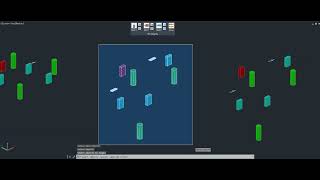
- The tool will generate evenly spaced duplicates in seconds.
Grid Calculation for Structured Builds:
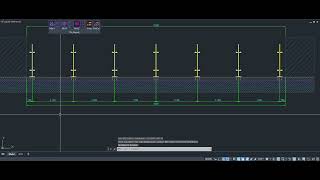
- Run DV_GRIDCAL, select two parallel reference lines (or block edges/Xlines) for the primary direction.
- In the dialog, pick modes (axis-only or with blocks), set parameters like divisions, thicknesses, offsets, modules, or ratios, and toggle dimensions/alternates—preview transients help refine choices.
- Confirm to draw; use jigs for origin placement and rotation if in block mode—envision a real-time grid forming with blocks inserted accurately.
- For cross-grids (in specific modes), opt to repeat for perpendicular pairs, adding a full orthogonal layout.
- Post-creation, add dimensions automatically or delete temp lines via prompts—seamlessly integrates into design iterations for consistency.
Screenshots



Commands
| Ribbon/Toolbar Icon | Command | Command Description |
|---|---|---|

|
DV_YT |
Align objects based on the top point of the reference object. |

|
DV_YB |
Align objects based on the bot point of the reference object. |

|
DV_YM |
Align objects to the horizontal midpoint of the reference object. |

|
DV_XL |
Align objects based on the left point of the reference object. |

|
DV_XR |
Align objects based on the right point of the reference object. |

|
DV_XM |
Align objects to the vertical midpoint of the reference object. |

|
DV_ZT |
Align objects based on the top Z-axis position of the reference object. |

|
DV_ZB |
Align objects based on the bot Z-axis position of the reference object. |

|
DV_ZM |
Align objects to the midpoint along the Z-axis of the reference object. |

|
DV_ARRAY |
Quickly copy array objects at a specified distance X,Y. |

|
DV_GRIDCAL |
Grid Calculation Tool |
Installation/Uninstallation
The installer that was run when you downloaded this app/plugin from the Autodesk App Store will start installing the app/plugin. Or, simply double-click the downloaded installer to install the app/plugin. You may need to restart your Autodesk product to activate the app/plugin. To uninstall this plugin, exit the Autodesk product if you are currently running it, simply rerun the installer, and select the "Uninstall" button. OR click Control Panel > Programs > Programs and Features (Windows 10/11) and uninstall as you would any other system application.
Additional Information
Known Issues
Contact
Author/Company Information
Support Information
Support email: dat.phucvo@gmail.com
Version History
| Version Number | Version Description |
|---|---|
|
2.0.0 |
Added New Command for Grid Calculaiton Tool Fixed some bugs. |
|
1.0.0 |
Initial Release |
