
Block Update
Leírás
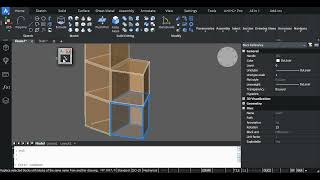
The program will help you to work together with complex assemblies. You can quickly replace blocks in your drawing with newer ones, which are made by another engineer in another file.
Do not confuse this command with the standard BlockReplace command, which works within the same drawing, replacing blocks with different names. The Update Block command works with blocks of the same name from different files.
The BUpdate command can be used instead of inserting external references (xRef). This command allows you to update a block created by inserting an entire model from another file. This way, you get up-to-date external files without the inconvenience of external references—no layer or style duplication.
Using the BUpdate command is the only way to copy solids from one drawing to another while preserving surface materials.
Regardless of the Autodesk® AutoCAD® localization language, you can switch the plugin to English, Italian, German, Russian, Chinese (PRC), Spanish, French, or Turkish localization.




Simple and useful solution. Thanks
Is this working only with DWGs?
Thanks for your feedback. Yes, this only works with DWG drawings. However, blocks can also be extracted from DWT template files.
Very helpful app !! But it can't update the value of attribute block. Could u please update in next version. Thanks a lot !!