
Test App_Do not download
, EnglishGeneral Usage Instructions
Getting Started
Sign up for a Foreman account. Access is currently limited to approved users during early access. Once approved, sign in using your Autodesk identity.
An onboarding wizard will guide you through setting up your workspace: organization name, plan selection (Free, Starter, or Pro), and securely connecting your APS (Autodesk Platform Services) credentials.
Once your APS credentials are connected, Foreman automatically discovers your accessible hubs and projects.
Document QA/QC
Define Rules: Start with built-in ISO 19650 rule sets or create your own. Combine naming conventions, required metadata, and PDF zone extraction rules. Use AI to generate regex from examples.
Run Checks: Select folders and apply rule sets. Foreman extracts text via OCR, validates metadata, and checks naming conventions automatically—validating hundreds of files in seconds.
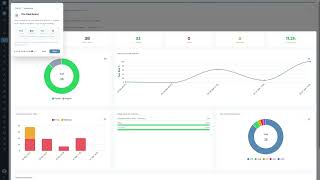
Review & Act: Use the interactive QA dashboard to review pass rates and violations. Track issues to resolution and export reports as CSV, Excel, or branded PDF.
Core Workflow: Hub & Project Setup
Set hub-wide defaults and sync your roles directly from Autodesk Forma.
Create new projects from Foreman: set details like type, construction type, delivery method, and assign administrators in one step.
Use the Project Matrix Wizard to structurally define roles, folders, and permissions using AI assistance. Then, deploy these folder structures securely.
Note: Ensure your defined roles exist within the Autodesk Forma admin portal before deploying permissions.
Folder Standardization
Use "Validate Folders" to compare an existing project against your Matrix.
Use "Create Folders" to deploy missing standardized structures and permissions seamlessly.
Member Management & Access Requests
Provision members individually or in bulk. Follow Foreman's intuitive Role Catalog to understand your project's hierarchy.
Build custom access request forms and configure auto-approval rules to streamline team onboarding.
Attribute Extract
Select folders, choose standard and custom attributes, and export to CSV, Excel, or JSON.
Upload your own Excel template—Foreman auto-detects headers and populates it preserving your formatting.
Schedule recurring extracts and receive email notifications when reports are ready.
Permissions & Member Audit
Use the Permissions Graph to visualise folder permissions as an interactive graph. Drill down by folder level, search for users or roles, and edit permissions inline.
Use Member Audit to compare membership across multiple projects and spot permission gaps.
Scheduled Automation & File Search
Schedule automatic QA runs, folder validation checks, and data snapshots.
Search across your portfolio to locate files instantly or detect stale activity.
Screenshots


Commands
Installation/Uninstallation
Additional Information
Requirements
- An active Autodesk Forma (formerly Autodesk Construction Cloud) account with project access
- An APS (Autodesk Platform Services) Custom Integration — Foreman provides full setup guidance
- A modern web browser (Chrome, Edge, Firefox, Safari)
Supported Autodesk Forma Modules
- Forma Docs / Document Management (folders, files, search, versions)
- Forma Build / Project Administration (projects, members, roles)
- Reviews and Transmittals
AI Assistant Compatibility
Foreman's MCP server supports OAuth 2.1 with PKCE and is compatible with Claude Desktop, Claude Code, Cursor, and Copilot. Dynamic client registration (RFC 7591) allows other MCP-compatible clients to connect automatically.
Security & Compliance
- Primary authentication through Autodesk Identity
- OAuth 2.1 authorization with PKCE for all AI and API connections
- Passkey support and mandatory Two-Factor Authentication for admins
- Role-based access control with comprehensive audit logging
- All data encrypted in transit (TLS)
Subscription Plans
Foreman offers Free, Starter, Pro, and Team tiers. The Free plan includes naming conventions, file format rules, 1 rule set, OCR in 15 languages, and CSV/Excel export. Paid plans add content match rules, PDF reports, scheduled checks, and advanced administration features like access requests and MCP integration. Billing is managed through Stripe.
Data Handling
Foreman does not store your Autodesk Forma files. It accesses project metadata, folder structures, and member information through official Autodesk Platform Services APIs using your authorized credentials. File content is streamed securely into memory for QA/QC extraction.
Known Issues
Contact
Author/Company Information
Support Information
Support Hours: Monday–Friday, 9:00 AM – 5:00 PM GMT
Email: Support requests can be submitted via the in-app help system or by emailing our support team directly. We aim to respond within two business days.
Documentation: In-app guidance is provided on key setup pages, including APS credential configuration and folder matrix creation.
Issue Reporting: If you encounter a bug or unexpected behaviour, please include your browser version, the page where the issue occurred, and any error messages displayed.
Feature Requests: We welcome feedback and feature suggestions. Please submit them through the same support channel.
Version History
| Version Number | Version Description |
|---|---|
|
1.0.0 |
Introducing Foreman - Automate Quality Assurance and ACC project setup, folder standardization, member provisioning, and access request workflows. Includes AI assistant integration via MCP. |
