
OpenSpace Two-Way Sync
, EnglishGeneral Usage Instructions
Getting Started with OpenSpace ACC Two-Way Sync
Overview
The Autodesk Construction Cloud (ACC) two-way sync integration lets you bulk integrate Field Notes from OpenSpace into ACC. Once enabled, statuses, descriptions, and due dates automatically sync between OpenSpace Field Notes and ACC Issues — keeping both platforms in lockstep.
Prerequisites
- You must be signed in to OpenSpace via Autodesk® SSO. Sign in with Autodesk SSO
- You must have the OpenSpace app installed from the ACC App Marketplace. See here for instructions.
Step 1: Install the OpenSpace Two-Way Sync App in ACC
You'll need Account Admin access in ACC Build to complete this step.
- Sign in to Autodesk Construction Cloud.
- Navigate to the Account Admin page, then select Apps.
- Find and select the OpenSpace Two-way Sync app.
- Select Install.
- Select Authorize and Install.
Step 2: Connect the Integration in OpenSpace
You'll need Site Admin or Org Admin permissions in OpenSpace.
- In OpenSpace, navigate to Project Settings > Integrations.
- On the Autodesk Construction Cloud card, select Connect.
- Select your ACC project to integrate, then select Connect.
Step 3: Start Syncing
- In OpenSpace, on the ACC integration card, select Sync project.
- Your Field Notes will begin syncing with ACC Issues—statuses, descriptions, and due dates will remain automatically updated across both platforms.
Need help? Contact the OpenSpace Support team at support@openspace.ai.
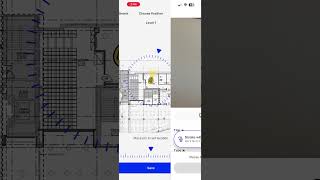
Screenshots


Commands
Installation/Uninstallation
Additional Information
Known Issues
Contact
Author/Company Information
Support Information
If you need additional assistance, contact Support@openspace.ai or (855) 703-8900.
Version History
| Version Number | Version Description |
|---|---|
|
1.0.0 |
Initial launch version to enable two-way sync capabilities between OpenSpace and ACC. |
