
PaperMode
Win64, EnglishGeneral Usage Instructions
The plugin adds simple commands to toggle your view modes.
Commands:
- TPS (or TOGGLEPLOTSTYLE): The main command. Switches back and forth between Working View and Plot Style View.
- PSV (or PLOTSTYLEVIEW): Forces the view into Plot Style Mode (White background, Plot Styles On, Lineweights Hidden).
- WV (or WORKINGVIEW): Forces the view back to standard Working Mode (Dark background, Plot Styles Off).
Workflow:
- Open your drawing in Model Space.
- Type TPS and press Enter.
- The screen will flash and switch to a white background showing your plot styles (e.g., all black), but with thin, readable lines.
- Type TPS again to return to your dark working environment.
Screenshots
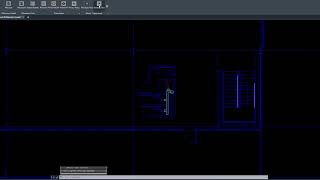


Commands
| Ribbon/Toolbar Icon | Command | Command Description |
|---|---|---|

|
TPS |
TOGGLEPLOTSTYLE The main command. Switches back and forth between Working View and Plot Style View. |

|
PSV |
PLOTSTYLEVIEW Forces the view into Plot Style Mode (White background, Plot Styles On, Lineweights Hidden). |

|
WV |
WORKINGVIEW Forces the view back to standard Working Mode (Dark background, Plot Styles Off). |
Installation/Uninstallation
Installation: Run the installer executable (.msi ). The plugin will be automatically detected by Autodesk® AutoCAD® upon next startup.
Uninstallation: Go to Control Panel > Programs and Features, find "Smart Plot View" (or your chosen app name), and click Uninstall.
Additional Information
Known Issues
The "Plot Style View" forces the system variable LWDISPLAY to Off and creates a temporary display override. This is purely visual and does not affect your actual layer properties or printing output.
Requires a valid .ctb file to be assigned to the Model layout to visualize colors correctly (e.g., monochrome.ctb).
Contact
Author/Company Information
Support Information
Company Name: Pholio Productivity Apps
Company URL: https://apps.autodesk.com/en/Publisher/PublisherHomepage?ID=J6XPNQM2TG3D
Support Contact: jannisaivatzidis@gmail.com
Version History
| Version Number | Version Description |
|---|---|
|
1.00 |
Instantly toggle Model Space between a Dark Working View and a clean, lineweight-free Plot Style Preview. See your monochrome prints clearly without unreadable thick lines. |
