
Solid Stations
Win64, EnglishGeneral Usage Instructions
- Start the command by typing SOLIDSTATIONS in the command line or by clicking the Solid Stations button in the Add-In tab.
- When prompted, select the alignment that will be used as the reference for station calculations.
- Select one or more 3D solids located along or near the selected alignment.
- Specify the Property Set where the calculated station values will be stored.
- The add-in automatically calculates the start station and end station for each selected solid relative to the alignment and writes the results to the specified Property Set.
- If, for any reason, the start or end station of a solid cannot be calculated, the add-in will skip that value and continue processing the remaining station calculations without interrupting the workflow.
- Review the assigned station values in the object properties or use them for schedules, labels, and further data processing.
Note: If a start or end station cannot be calculated for a solid, the command will continue processing the remaining solids and station values.
Updates and further development of the application are planned, if you have questions, suggestions, criticisms and commendations, please feel free to submit them via our website web-advisor.com or directly to the email: civilengdev@gmail.com
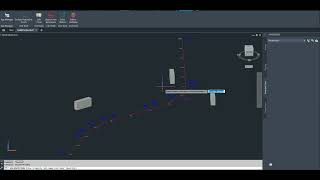
Screenshots


Commands
| Ribbon/Toolbar Icon | Command | Command Description |
|---|---|---|

|
SOLIDSTATIONS |
Calculates the start and end station values of selected 3D solids relative to a chosen alignment and writes the results to a user-defined Property Set. |
Installation/Uninstallation
The installer that ran when you downloaded this app/plug-in from Autodesk App Store will start installing the app/plug-in. OR, simply double-click the downloaded installer to install the app/plugin.
To uninstall this plug-in, exit the Autodesk product if you are currently running it, simply rerun the installer, and select the "Uninstall" button. OR, click Control Panel > Programs > Programs and Features (Windows 10/11) and uninstall as you would any other application from your system.
Additional Information
Known Issues
So far, there are no known bugs or issues with the app!
Contact
Author/Company Information
Support Information
Support is available through email civilengdev@gmail.com
Version History
| Version Number | Version Description |
|---|---|
|
1.0.0 |
First version. |
