
Nifty Dogbone for Autodesk® Fusion®
Win64, EnglishGeneral Usage Instructions
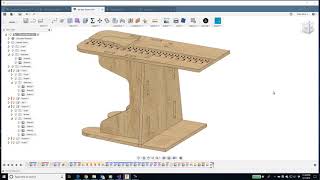
For a complete illustrated workflow of what the add-in does and how to use it, please visit EkinsSolutions.com and/or watch the explanation video.
General steps:
Goto Design Workspace
Under "Solid" tab, within "Modify" ribbon panel the app commands are listed.
App commands: "Nifty Dogbone", "Update Dogbones", "Nifty Corners"
"Nifty Dogbone" - choose the "Selection type" --> select bodies, --> set the desired dimensions --> select type --> Hit OK.
"Update Dogbones" - to udpate the created Dogbones.
"Nifty Corners" - Slect the Bodies --> set the Radius --> choose corner types --> Hit OK.
Screenshots


Commands
| Ribbon/Toolbar Icon | Command | Command Description |
|---|---|---|

|
Nifty Dogbone |
Creates circular cuts in interior corners of a solid that represents material that will be machined with a mill or router. Because a circular bit can't cut sharp internal corners, the dogbone defines removing additional material in internal corners to allow the full use of the corner. |

|
Update Dogbones |
Forces all existing dogbones to re-calculate based on the current model. |

|
Nifty Corner |
Rounds edges of sheet stock. This automates the selection of edges and creates a standard fillet feature. |
Installation/Uninstallation
Install:
The installer downloaded from the App Store installs the add-in in the App Store location for Fusion add-ins.
Disable:
You can disable the add-in without uninstalling it by clicking the "Stop" button when the add-in is selected in the list box on the "Add-Ins" tab of the "Scripts and Add-Ins" dialog.
Unchecking the "Run on Startup" checkbox at the bottom of the dialog causes the add-in to not be loaded in future sessions of Fusion.
Uninstall:
Use the Windows "Add or Remove" programs app and look for "Nifty Dogbone" in the list and use the "Uninstall" option.
Additional Information
Known Issues
Contact
Author/Company Information
Support Information
For support please email brian@EkinsSolutions.com
Version History
| Version Number | Version Description |
|---|---|
|
1.7.1 |
Support for the January 2025 version of Fusion. |
