
Default Parameters
Mac OS, EnglishGeneral Usage Instructions
1. **Configure Once**: Open the Default Parameters palette and define your standard parameters
2. **Save Your Preferences**: Choose auto mode, prompt mode, or disabled
3. **Design as Usual**: Create new Autodesk® Fusion® documents and your parameters are automatically there.
Screenshots
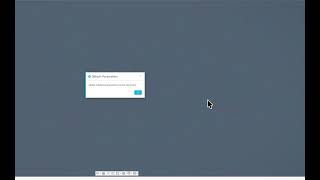


Commands
Installation/Uninstallation
Install:
1. Download the installer from the Autodesk App Store.
2. Right-click on the "Downloads" folder and select "Open in Finder".
3. Right-click on the downloaded ".pkg" -> "Open With" -> "Installer".
Uninstall:
You can unload the add-in without uninstalling it by clicking the "Stop" button when the add-in is selected in the list box on the "Add-Ins" tab of the "Scripts and Add-Ins" dialog.
Unchecking "Run on Startup" causes the add-in not to be loaded in future sessions of Fusion.
- Navigate to the ./ApplicationsPlugins folder and select the app bundle you want to uninstall
- Either drag the app bundle to the Trash or right-click and select “Move to Trash”
- Right-click on the Trash-Can and select “Empty Trash”
- If you prefer keystrokes, you can also just select the app bundle and then hit Command+Delete to move the app to Trash, then empty the Trash and the app will be removed.
Additional Information
Known Issues
Contact
Author/Company Information
Support Information
For product support, email support@iliketomakestuff.com
Version History
| Version Number | Version Description |
|---|---|
|
1.0.1 |
Fixed crash on Fusion startup (InternalValidationError) caused by accessing toolbar panels before the UI is fully initialized. The add-in now fully loads even if toolbar placement fails at startup. |
|
1.0.0 |
Initial Release - **Automatically add your standard parameters to every new design** |
