
VBit Inlay
Trial
OS:
Language:
Description
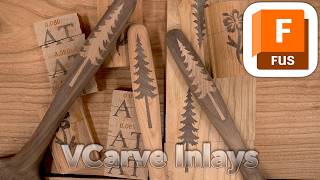
Create VBit inlays for CNC woodworking!
The AddIn automatically generates proper setups and toolpaths for machining an inlay pocket and matching male plug. Custom parameters allow one to easily dial in the fit of the inlay to get it just right without any gaps. Allows easy vcarving for engravings and inlays.
Watch a complete tutorial YouTube video on how to create an inlay with this plugin: VBit Inlay with Autodesk® Fusion®
Full documentation is available on Corbin's Workshop: VBit Inlay AddIn Documentation.
Trial Description
This AddIn is shareware, free to download, use as long as you like, and has no limitations or restrictions of any kind. If you find it useful, buy a license for $5. If you don’t, no big deal!
About This Version
Version 1.8, 1/13/2026
1.8 - January 9, 2026
* Added the “Inlay Fit Adjustment” to the main plugin window.
* Bug Fix: ignore construction lines in Sketches
* Added support for auto updating for the Fusion Store version.
* Code simplification
1.7 - January 6, 2026
* Selecting a sketch should now correctly select “every other profile”, which is what people
want for v-carves. The old heuristic was flawed.
* When flipping the plug, automatically do a “Capture Position”. It seems that most people
want this to happen.
1.6 - December 31, 2025
Attempt to fix “degenerate segment errors” again by copying the profiles instead of projecting; this process is a little less robust for profiles that overlap, but overlapping profiles in general are bad for v-carving.
Made “Copy Profiles” an option in case people liked the linked version
Fixed some edge cases where it wouldn’t generate an inlay
Added auto-updating! This will be the last time you have to manually download it. It should auto update whenever I release a new version
1.5 - December 19, 2025
Attempt to fix “degenerate segment errors” that sometimes arise. It seems to be a bug in Fusion with some specific designs, but I attempt to work around it. It will still happen with designs that have bad geometry/vectors (overlapping vectors or zero length vectors)
Rename from VCarve Inlay to VBit Inlay to avoid confusion with other software
1.4 - December 11, 2025
Update: 2D Inlays now use 2D Toolpaths (Engrave and 2D Pocket), which are way way faster to generate, more consistent in how they work, and produce a much more efficient toolpath for flat inlays that take less time to machine.
Bug fix: some vectors weren’t projecting right, so do it differently to work more consistently.
Bug fix: sometimes there were extrude errors in Fusion; work around this
1.3 – November 10, 2025
Tool drop down is broken; it’s a Fusion API bug. Work around it for now.
1.2 – October 27, 2025
Bug Fix: Selecting an entire sketch will now “do the right thing” of selecting every other sketch
Bug Fix: You can now do inlays-in-inlays; previously it would’t work quite right if the target would generate holes.
Bug Fix: tapered ball nose error that was coming up: TypeError: unsupported operand type(s) for *=: ‘FloatParameterValue’ and ‘float’
Bug Fix: The plugin should work a lot better on more abstract angles (ie: bottom, sides, odd angle planes, etc), as it was incorrectly using some values hardcoded for the z-plane
Bug Fix: Not using “Create New Component” would not generate a correct plug
1.1 – October 22, 2025
Fixed “not a planar entity” error if the original sketch was another sketch
Project the plug via the plug profile instead of the plug body, which should fix some cases where the machining limits was inset incorrectly (instead of being outset)
Give better errors on SketchText entities that fail (Fusion bugs)
Allow tapered ball nose in the tool lists shown
Fixed some inlay within inlay issues
1.0 – October 17, 2025
Initial Release



I was already watchig this guy on youtube.
He is a genius.
This plugin works great. Generating the main body and plug for a v-carve isn't all that hard to do, but it is time consuming and requires a decent amount of fiddling. This plugin takes all that fiddling out of the equation. You should do the test cutting procedure to figure out the correct "inlay_fit_adjustment" parameter value for your cutting tools and your machine.
Overall, it's a great plugin. Be sure to check out Corbin's youtube channel for very detailed (three 30+ minute) videos on using the plugin if you get stuck. Thank you Corbin for all you give to the community.