
Replace file
Win64, EnglishGeneral Usage Instructions
The Replace File add-in is designed to integrate seamlessly into the Inventor Assembly environment, helping users quickly manage and update component references.
Workflow:
- Open an Assembly: Launch Inventor and open the Assembly file (.IAM) containing the component(s) you need to replace.
- Access the Tool: Locate the 'Replace File' button, typically found on a dedicated panel under the **Assemble** or **Tools** ribbon tab.
- Select Component: Select the component (part or sub-assembly) in the Model Browser or the graphics area that you wish to replace.
- Initiate Replacement: Click the 'Replace File' button to open the replacement dialog.
- Choose New File: Browse and select the new Inventor part (.IPT) or assembly (.IAM) file.
- Confirmation: The tool will replace the selected component(s) with the new file, maintaining existing constraints and relationships where applicable. A confirmation message will appear upon successful replacement.
Screenshots


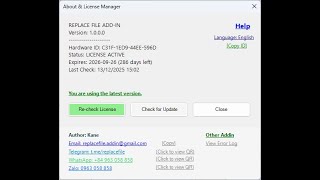
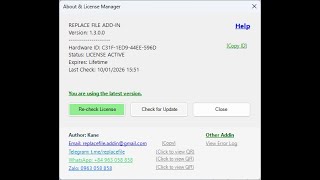
Commands
| Ribbon/Toolbar Icon | Command | Command Description |
|---|---|---|

|
ReplaceFile |
Launches the Replace File utility to select and quickly swap a component (part or sub-assembly) in the active Inventor assembly with a new user-specified file. This command is accessible directly from the Ribbon. |
Installation/Uninstallation
Installation: The Replace File Add-in utilizes a standard Windows Installer (.msi/.exe).
- Download the ReplaceFileSetup.msi file from the Autodesk App Store.
- Double-click the installer file (e.g., 'ReplaceFileSetup.msi').
- Follow the on-screen prompts to complete the installation.
- The add-in will automatically register itself with the supported versions of Inventor and will load the next time Inventor is launched.
Uninstallation:
- Close all instances of Inventor.
- Go to the Windows Control Panel or Settings -> Apps.
- Find 'Replace File Add-in for Inventor' in the list of installed programs.
- Click 'Uninstall' and follow the prompts to remove the software from your system.
Additional Information
### Legal Documents: * **End-User License Agreement (EULA):** A copy of the EULA is included with the installation package. The EULA governs the terms of use for this software. * **Privacy Policy:** For details regarding data collection and usage, please refer to our Publisher Privacy Policy linked on this product page. ### System Requirements: * Inventor [Specify Supported Versions, e.g., 2024 to 2026] * Microsoft Windows 10/11 (64-bit)
Known Issues
Currently, there are no major known issues affecting the core functionality of the Replace File add-in.
Contact
Author/Company Information
Support Information
For technical support, feature requests, or bug reports, please contact us directly via email.
We aim to respond to all inquiries within 1-2 business days. Support email: replacefile.addin@gmail.com. Support Hours: Monday to Friday, 9:00 AM - 5:00 PM (GMT+7).
Version History
| Version Number | Version Description |
|---|---|
|
1.3.0 |
What's new in v1.3.0: Auto Numbering: Generate professional file IDs automatically—a powerful solution for users without Vault. Cleaning Settings: Easily purge unwanted properties and data during the replacement process for cleaner files. Multi-language Support: Interface now supports multiple languages to better serve our international users. Performance Optimization: Significant improvements in execution speed and stability, especially for large assemblies. |
|
1.0.0 |
First release |
