
UnoTOOL 2D & 3D Spline Generator
Win64, EnglishUnoTEAM Software Pvt Ltd
UnoTool 2D & 3D Spline Generator creates 2D and 3D splines in Autodesk® Inventor® from Excel point data. Import multiple Excel files or folders to generate splines quickly and accurately.
General Usage Instructions
- Launch Inventor 2024, 2025, or 2026.
- Open Part or Assembly.
- Navigate to the “3D Model” ribbon tab, start a 2D or 3D Sketch.
- Click on the “Tools” tab in the Inventor ribbon panel.
- Click on “2D/3D Spline Generator”.
- Click on “Choose Files”, navigate to the Excel files, and select single or multiple Files. (OR)
- Enter Filter Keyword in the Filter field (at least 3 characters).
- Click on Choose Folder, navigate to the required folder, and select the folder.
- Click on “CREATE 2D SPLINE” or “CREATE 3D SPLINE”.
- The Spline should be created accordingly.
- Follow the instructions provided in the UI to proceed.
- For further assistance:
- Refer to the Help Documentation (click on the Help button, which should be on the top left of the UI page).
- Watch the Execution Video for a step-by-step guide.
Screenshots


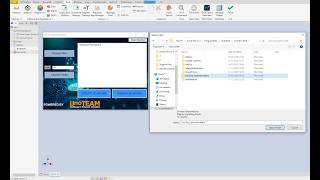
Commands
Installation/Uninstallation
The installer that ran when you downloaded this app/plug-in from the Autodesk App Store will start installing the app/plug-in. OR, simply double-click the downloaded installer to install the app/plugin. Make sure that the Autodesk product is completely closed when running the installer.
To uninstall this plug-in, exit the Autodesk product if you are currently running it, simply rerun the installer, and select the "Uninstall" button. OR, click Control Panel > Programs > Programs and Features (Windows 10/11) and uninstall as you would any other application from your system.
Additional Information
Known Issues
Contact
Company Name: UnoTEAM Software Pvt Ltd
Company URL: https://www.unoteams.com/
Support Contact: apps@unoteams.com
Author/Company Information
UnoTEAM Software Pvt Ltd
Support Information
Version History
| Version Number | Version Description |
|---|---|
|
1.0.0 |
Intial version. |
