
Batch Layout Generator
Win64, EnglishGeneral Usage Instructions
- Run the command BATCHLAYOUT in the AutoCAD command line, or click the icon in the Add-ins Ribbon tab.
- In the UI, select your generation method: Orthogonal, Array (Grid), Rotated (Plan), or Interactive (Jig).
- Choose an existing layout from your drawing to use as a "Source Template".
- Specify your sheet naming prefix and starting number.
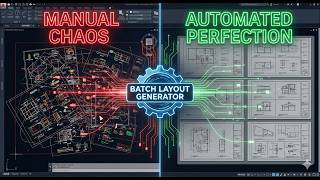
- Click 'Generate' or select your frames in Model Space. The plugin will automatically clone the layouts, align the viewports to your selected frames, and apply the correct scales and rotations.
Note: If app is not loading, kindly restart AutoCAD and try again.
Screenshots


Commands
| Ribbon/Toolbar Icon | Command | Command Description |
|---|---|---|

|
BATCHLAYOUT |
Advanced, automated layout and viewport generation tool. |
Installation/Uninstallation
The installer that ran when you downloaded this app/plug-in from Autodesk App Store will start installing the app/plug-in. OR, simply double-click the downloaded installer to install the app/plugin. You may need to restart the Autodesk product to activate the app/plug-in.
To uninstall this plug-in, exit the Autodesk product if you are currently running it, simply rerun the installer, and select the "Uninstall" button. OR, click Control Panel > Programs > Programs and Features (Windows 10/11) and uninstall as you would any other application from your system.
Additional Information
Developed using C# .NET and WPF. Fully compatible with standard AutoCAD and all vertical products (Civil 3D, Architecture, Map 3D, etc.). The tool handles complex UCS and WCS coordinate transformations automatically.
Known Issues
- For the standard "Orthogonal" and "Rotated" selection modes, the selected frames must be closed, 4-vertex polylines. Polylines with arcs or more than 4 vertices will be ignored during the batch process. No other known issues at this time.
- Some times it requires AutoCAD restart to load the app.
Contact
Author/Company Information
Support Information
For support, bug reports, or feature requests, please contact: Email: GreenRoadGroup2018@gmail.com Website: https://www.greenroadgroup.com.ge
Version History
| Version Number | Version Description |
|---|---|
|
1.0.3 |
Bug Fixes: Addressed minor edge-case bugs and optimized the internal processes to prevent unexpected crashes during batch generation. Performance Enhancements: Refined the code structure to ensure smoother transitions and faster layout generation when processing complex Drawing |
