
PoliFlex Catalog – Python Script
Win64, EnglishProTech SOLUTION CO., LTD
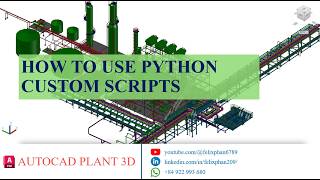
A professional Python script catalog for Autodesk® AutoCAD® Plant 3D™ that automates the creation of part geometry, improving accuracy, consistency & design efficiency in piping & industrial projects.
General Usage Instructions
1. Installation
- Install the downloaded package from the Autodesk App Store or the provided installer.
2. Register Custom Scripts
- Open an AutoCAD Plant 3D drawing
- Run the command: PLANTREGISTERCUSTOMSCRIPTS
3. Create Python Script component
- Open Spec Editor.
- Create a component using Custom Python Script.
4. Use in a Project
- Add the component to the desired Spec
- Restart AutoCAD Plant 3D
- Place the component in the project environment
Screenshots


Commands
Installation/Uninstallation
The catalog support folder is installed by default at:
C:\AutoCAD Plant 3D 202X Content\CPak Common\CustomScripts
To uninstall a content pack:
- Open Control Panel → Programs and Features.
- Locate the installed content pack by name
- Select it and click Uninstall.
Additional Information
Known Issues
Contact
Company Name: ProTech SOLUTION CO., LTD
Support Contact: protech.solution3012@gmail.com
Author/Company Information
ProTech SOLUTION CO., LTD
Support Information
For technical support or inquiries, please contact:
Version History
| Version Number | Version Description |
|---|---|
|
1.0.0 |
Initial release |
