
MIKWANG Sanitary Catalog
Win64, EnglishGeneral Usage Instructions
These catalogs are compatible with Autodesk® AutoCAD® Plant 3D™ 2019 & higher versions. After installation, you can open the catalog in Spec Editor.
Create a new spec and add all components from the catalog to the spec. Load the spec created in AutoCAD Plant 3D and use the available part in your projects
Screenshots


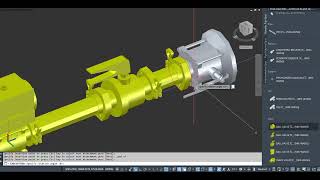
Commands
Installation/Uninstallation
Installation notes:
These catalogs are compatible with AutoCAD Plant 3D 2019 & higher versions.
Copy whole catalog package (including .pcat file and block support folder) to AutoCAD Plant 3D Shared Content folder of the destinated P3D project.
Example:
C:\AutoCAD Plant 3D 2026\MIKWANG Sanitary\
Uninstallation notes:
To uninstall this content pack, please go to Control Panel => Programs and Features => select the
"MIKWANG Sanitary Catalog.pcat " => Uninstall
Additional Information
Known Issues
Contact
Author/Company Information
Support Information
Contact: info@lavicas.com
Version History
| Version Number | Version Description |
|---|---|
|
1.0.0 |
Initial release. |
