
Uno PlantExpress Tools
Win64, EnglishGeneral Usage Instructions
1. Open AutoCAD Plant3D 2025 or 2026.
2. Click on the UnoTools tab in the AutoCAD Plant3D Ribbon panel.
3. In the Selection List Management Panel,
4. Click on the Export button to Export Selection Lists to an Excel file.
5. Click on the Import button to Import Selection Lists from an Excel file.
6. Click on the List Config button to Import & Export Multiple Selection Lists to or from an Excel file at a time,
7. Click on the Selective Properties button to view the Properties category-wise,
8. In the Data Extraction Panel,
9. Click on Pipe Support Data Extractor,
10. In the Displayed UI, select the required Support Mode, Sheet Size, and Active Drawing Template.
11. Then select any Pipe form active drawing, the Tool will generate a 2D image and a Detailed BOM Table in the Paper Space.
12. Follow the instructions provided in the UI to proceed.
13. For further assistance:
- Refer to the Help Documentation (Hover over the UI page and press F1, or click on the Help button).
- Watch the Execution Video for a step-by-step guide.
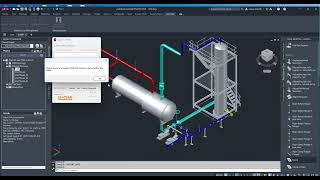
Screenshots


Commands
Installation/Uninstallation
Run the installer of this app/plug-in that you downloaded from the Autodesk App Store. OR, simply double-click the downloaded installer to install the app/plugin. Make sure that the Autodesk product is completely closed when running the installer.
To uninstall this plug-in, exit the Autodesk product if you are currently running it, simply rerun the installer, and select the "Uninstall" button. OR, click Control Panel > Programs > Programs and Features (Windows 10/11) and uninstall as you would any other application from your system.
Additional Information
Known Issues
Contact
Author/Company Information
Support Information
Please contact:
email: apps@unoteams.com
Version History
| Version Number | Version Description |
|---|---|
|
1.0.0 |
Initial Release. |
