
Bim.com Design App
Win64, EnglishGeneral Usage Instructions
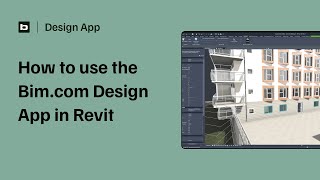
The Design App integrates seamlessly into the early design phase, allowing architects to make informed material and design decisions without leaving Autodesk® Revit®, turning sustainability from an external check into an active design parameter.
Create an account to get started. Sign Up for Bim.com
1. Model setup: The architect works directly within Revit, activating the Design App plug-in to connect the project model to Bim. com's material and product database.
2. Element recognition: The Design App automatically identifies key building elements (walls, floors, roofs, windows, etc.) and maps them to material categories.
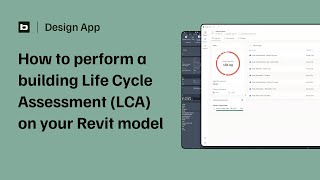
3. CO₂ calculation: Based on selected materials and quantities, the app calculates the embodied carbon for each element and the total project footprint in real time.
4. Design iteration: Users can test alternative materials or assemblies, instantly comparing the CO₂ impact of different design options.
5. Data-driven conversations: The app generates visual summaries that enable informed discussions with clients or sustainability consultants.
Screenshots


Commands
Installation/Uninstallation
Installing Design App for Revit
This setup will guide you through the installation of the Design App for Revit.
The app integrates directly with Revit:
- Close Revit before continuing.
- Choose your installation folder and click Install.
- Once installed, open Revit — the Design App will appear under the Add-Ins tab.
Uninstalling Design App for Revit
This will remove the Design App for Revit from your computer.
Your Revit projects and settings will remain untouched.
To proceed:
- Close Revit and any running BIM.com applications.
- Click Uninstall to remove the plugin and associated files.
You can reinstall the app anytime.
Thank you for designing smarter and more sustainably with Bim.com.
Additional Information
Known Issues
Contact
Author/Company Information
Support Information
Reach out to design-app@bim.com for any questions or feedback.
Version History
| Version Number | Version Description |
|---|---|
|
0.8.12 |
Go here for full release log: https://www.bim.com/design-app/changelog |
|
0.8.7 |
https://www.bim.com/design-app/changelog |
