
BIMhoven
Win64, EnglishGeneral Usage Instructions
- For the first button, HangME, input the data and run.
- For the second button, Levels Creator, enter the prefix name, offset, and number of levels you want to create.
- For the third button, Slicer, select your views and scope boxes, naming scheme, and scale of the created scope box view. Dependent views will be created and you can select whether to create sheets or not. Press preview first to review the sheets and views that will be created and edit their parameters if necessary.
- For the fourth button, Inspector, pick elements and then choose how to handle the selected elements, whether by creating 3d views, adding them to the selection set, or searching for elements with a specific parameter value.
- For the fifth button, Select the family instance that you want to distribute, then select distribution arrangement, and finally select the mechanical spaces you want to distribute within.
- For the sixth button, just open the plugin and it will show all CAD (.dwg) Links and Imports in the current project. Double-click on any row to go to the owner view of that CAD (.dwg) file, and press the button to select the selected rows (files) all together in Autodesk® Revit® UI.
Screenshots


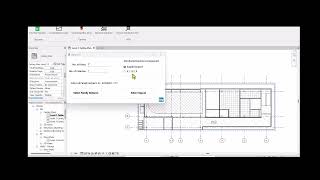
Commands
Installation/Uninstallation
The installer that ran when you downloaded this app/plugin from the Autodesk App Store will start installing the app/plugin. Or, simply double-click the downloaded installer to install the app/plugin.
To uninstall this plugin, exit the Autodesk product if you are currently running it, simply rerun the installer, and select the "Uninstall" button. OR, click Control Panel > Programs > Programs and Features (Windows 10/11) and uninstall as you would any other application from your system.
Additional Information
Known Issues
Contact
Author/Company Information
Support Information
for any inquiry, feel free to contact me at eslam.abdo.taha@gmail.com or at my LinkedIn profile: https://www.linkedin.com/in/eslam-abdulazim-taha
Version History
| Version Number | Version Description |
|---|---|
|
4.0.0 |
Fourth Version of BIMhoven app for Revit. Added new Functionality: HangME. |
|
2.0.0 |
Second Version of BIMhoven app for Autodesk® Revit®. Added new Functionality : Inspector. |
|
1.0.0 |
First Version of BIMhoven app for Autodesk® Revit®. |
