
Edge of Slab Generator
Win64, EnglishGeneral Usage Instructions
The addin comes in the form of a dropdown button on ‘Edge of Slab’ panel of ‘Add-Ins’ tab of Revit interface.
The dropdown has three options:
1. Generate EOS Edges
2. Regenerate EOS Edges, and
3. Delete EOS Edges
Let’s test it out.
Make sure a floor plan view with a template suitable for displaying slab edges is active.
Click on the first option ‘Generate EOS Edges’.
And that’s it. The slab edges are created in the form of blue linework.
The tool automatically creates a line style for slab edges.
If you make any changes to floors, use the second option ‘Regenerate EOS Edges’ and the tool will remove old edges and recreate the new ones.
Use the third option if you wish to just delete these edges from the view.
Screenshots


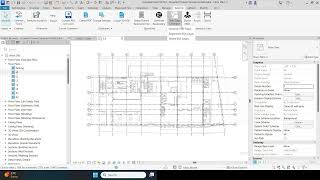
Commands
Installation/Uninstallation
The installer that ran when you downloaded this app/plug-in from the Autodesk App Store will start installing the app/plug-in. OR, simply double-click the downloaded installer to install the app/plugin. Make sure that the Autodesk product is completely closed when running the installer.
To uninstall this plug-in, exit the Autodesk product if you are currently running it, simply rerun the installer, and select the "Uninstall" button. OR, click Control Panel > Programs > Programs and Features (Windows 10/11) and uninstall as you would any other application from your system.
Additional Information
Known Issues
Contact
Author/Company Information
Support Information
For any queries or help required, kindly send an email to along with the snapshots of errors and contextual information:
Version History
| Version Number | Version Description |
|---|---|
|
1.0.0 |
Initial version. |
