
D5 Render Sync Plugin
Win32 and 64, EnglishGeneral Usage Instructions
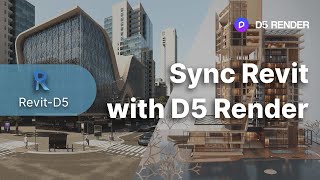
After installing D5 Sync for Revit, you can click on 'Start D5' and build a direct link between Revit and D5 Render, a real-time rendering software. When you modify your Revit models or materials, you can click on 'Sync' to update these changes in D5 Render. This way, you can check your models in lifelike environment while revising them as needed.
Screenshots

Commands
Installation/Uninstallation
Double click on the .exe file after downloading D5 Sync for Revit, and follow the built-in guides to install. After the installation is completed, there will be a file in C:\ProgramData\Auto desk\Revit\Addins. You can uninstall it by deleting this file.
Additional Information
Known Issues
Contact
Author/Company Information
Support Information
Please visit https://support.d5render.com/support/home for technical support.
Version History
| Version Number | Version Description |
|---|---|
|
Ver. 0.4.6 |
New Supported Settings Modification During Sync Supported Warning Upon Phase/Phase Filter Changing Improvement Enhanced User Experience Upon Sync With Revit Links Popup Menu Enhanced Materials Handling Enhanced Emissive Material Enhanced Phase/Phase Filter Changes Handling |
