
BIM-IT Pipe
Win64, EnglishGeneral Usage Instructions
BIM-IT Pipe tools are used directly inside Revit during pipe modeling and documentation workflows.
The typical workflow starts after pipes and spot elevations are placed in a view. Users select the relevant pipes, spot elevations, or reference elements, then run the appropriate BIM-IT Pipe tool from the ribbon.
Each tool performs a focused task, such as aligning pipe elevations, evenly distributing pipes, placing pipe size tags, or isolating pipe systems, without requiring additional setup or configuration.
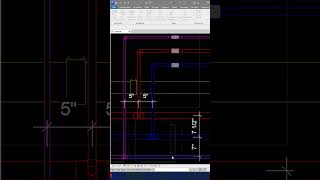
Tools like Pipe Size Tag and Tag Branch are typically used during documentation phases to automate tag placement and ensure consistent annotation.
Alignment and distribution tools are used during modeling and coordination phases to quickly adjust pipe layouts and maintain clean, organized pipe runs.
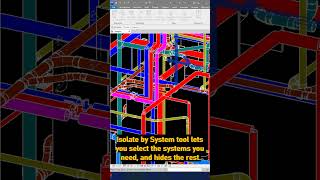
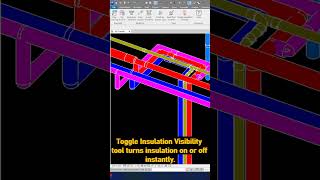
View-related tools such as Align Section, Isolate by System Type, and Toggle Insulation Visibility help users navigate complex models, review pipe systems, and make fast adjustments directly in the active view.
BIM-IT Pipe tools are designed to fit naturally into standard Revit workflows, reducing manual steps and allowing users to complete repetitive tasks in just a few clicks.
Screenshots


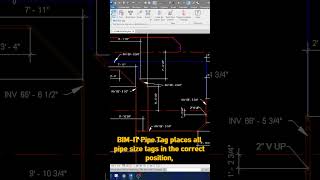
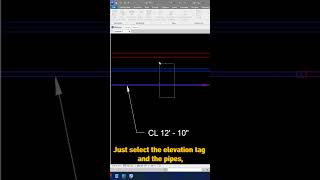
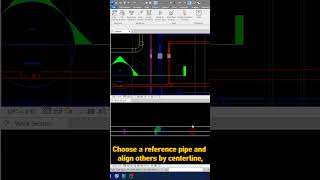
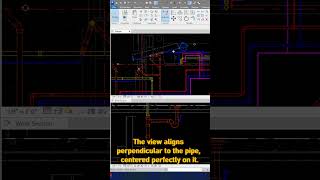
Commands
Installation/Uninstallation
BIM-IT Pipe is installed using a standard MSI installer.
During installation, the add-in files are copied to the user’s Revit add-ins directory:
C:\Users\{UserName}\AppData\Roaming\Autodesk\Revit\Addins\{RevitVersion}
Separate folders are created for each supported Revit version (for example, 2023, 2024, 2025), ensuring correct version compatibility.
Once installed, BIM-IT Pipe is available directly inside Revit and can be accessed from the Revit ribbon.
To uninstall the add-in, use the standard Windows uninstall process through Apps & Features or Control Panel, the same way as any other Windows application. No additional manual steps are required.
Additional Information
No additional information is required. BIM-IT Pipe is a self-contained Revit add-in and does not require any external dependencies.
Known Issues
No known issues at this time.
Contact
Author/Company Information
Support Information
Support for BIM-IT Pipe is provided by the BIM-IT team.
Users can contact support by email at support@bim-it.rs
Support requests can also be submitted using the contact form available on the BIM-IT website:
Support is available for installation issues, licensing questions, and usage-related inquiries.
Users are encouraged to include their Revit version and a brief description of the issue when contacting support to ensure faster response and resolution.
Version History
| Version Number | Version Description |
|---|---|
|
1.0.1 |
Initial release of BIM-IT Pipe. Includes tools for automatic pipe tagging, pipe elevation alignment, even pipe distribution, section alignment, system-based pipe isolation, and insulation visibility control. This release focuses on improving speed, accuracy, and consistency in everyday Revit MEP pipe workflows. |
