
Outside Loop
Beschreibung
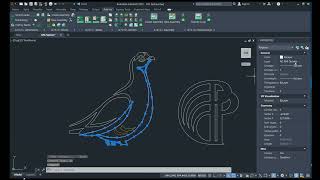
The Outside Loop (OSL) command is useful to optimize splines and convert them into polylines. Before pulling contours into a solid body, it is also very useful to call this program. It combines _Join, _Boundary, _Overkill, _SplinEdit and many add-ons.
If CNC milling machines are used in your production, then you probably have to prepare the contours of the parts before exporting to the CAM program. It's not enough to take flat images with 3D solids. You need to remove the overlays and intersections of the lines, convert the splines to arcs, close the contours in the polyline, and assign the correct layers according to the type of processing. All this work can be done with the regular means of AutoCAD. But it's long, and you cannot notice many mistakes.
Features of the program
-
Searches for the largest outside loop in a set of intersecting lines and curves.
-
Allows the lines to intersect. All the tails will be cut off.
-
Closes the contours inside the outer, nested into each other. And distributes them on layers - for external and internal milling.
-
It can create several contours at once by one command call.
-
It connects small breaks in the contour.
-
Correct slightly squinting horizontally and vertically.
-
Converts splines and ellipses into a line and an arc with a given tolerance (the maximum deviation from the original curve).
-
Projects 3D splines and 2D and 3D polylines onto the XY plane to convert to normal polylines.
-
Works with the object 2D polylines, which occur when the text is exploded using the TXTEXP command.
-
Restores the circles from ellipses and splines when the cylinder was projected crookedly (hole in the solid).
-
Cleans rubbish: small pieces, dots, layers of lines on each other or located too close (similar to the cleaning command Overkill).
-
Gluing tiny trimming lines into full lines and arcs.
-
Can replace the chain of small lines with arcs, and vice versa, too—straight arcs with straight lines.
-
Combines a line, broken into segments, into one whole. This optimizes the number of segments.
-
Turns the arcs with NormalZ = -1. These are the same arcs that FlatShot leaves and because of which it is impossible to extrude solid, nor to process it on the CNC.
-
Spreads the resulting contours by layers. If inside contours are detected, the program can write the milling depth in the layer name.
-
Identifies the contours of pockets that cannot be traversed by a given cutter at a time and places them in a separate layer.
-
Calls the Inside Corner command to form the milling cutter into the corner. This option can be enabled separately for external and for internal loops.
-
It filters the selected lines, ignoring the invisible and auxiliary layers and the type of lines.
-
Works in the UCS. All objects will be projected onto the XY plane of the current UCS.
-
Works within specified, configurable tolerance.
-
You can enable and disable layer management.
-
You can use layers from a template file.
Along with the Outside Loop (OSL) command, you get another command, "Simplifying contours in files" (SimpInFiles). This command does all the same work as OSL, but it processes many files at once and adds the file name to the center of each drawing.
This command is called inside the NC_Prepare (NCP) and Overall Dimensions (DimOverall) commands.
If you don't need contour optimization but only need to convert splines to polylines, then use the "Curves to Polylines" (CPoly) command.
And if you don't need transformations but need to optimize polylines, then use "Automatic Simplification of Polylines" (ASimp).
The OSL & SimpInFiles commands are a part of the A>V>C> Pro package.
Regardless of the Autodesk® AutoCAD® localization language, you can switch the plugin to English, Italian, German, Russian, Chinese (PRC), Spanish, French, or Turkish localization.
Test-Beschreibung
To run the plugin, you will have to register account and top up your account balance or receiving bonuses.
Then you can activate one of the licenses:
- Annual license - 15 Euro.
- Unlimited license - 75 Euro. Free updates for 1 year.
- The trial period is 20 days.



Plugin works as described. Very useful.
Also, the developer is resposive with any questions and very helpful.