Script Magician
Descrizione
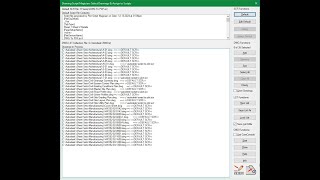
(1) Drawing Script Magician (SMD) – selects Script files, assigns them to run on a collection set of selected drawings, saves the collection for running later or immediately starts the automation process of opening and closing each drawing running the commands in the assigned Scripts
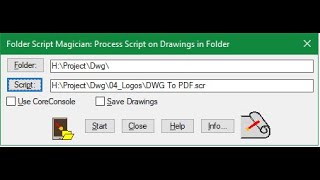
(2) Folder Script Magician (SMF) – selects a Folder then a Script file and starts the automation process of opening and closing each drawing in the Folder running the commands in the selected Script
(3) Lplot Script Magician (SML) – presents a graphic user interface to assist the user in creating AutoLISP Plot commands. Settings selected from this simplified PLOT like window are saved into an external AutoLISP file for loading to plot or inclusion in user customized AutoLISP files
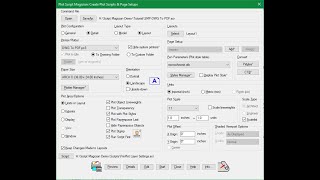
(4) Plot Script Magician (SMP) – uses a custom dialog similar to the Plot & Page Setup windowto facilitate the process of creating a Script file that contains the sequence of responses needed to generate a Plot from a drawing. In addition Page Setups can be saved and assigned to the current drawing’s Model or Layouts
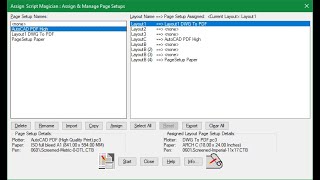
(5) Assign Script Magician (SMA) – takes current drawing’s Page Setups and assigns them using a graphic user interface to Model or selected Layout tabs
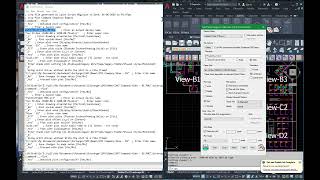
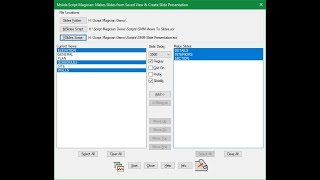
(6) Mslide Script Magician (SMM) – uses a custom dialog box to show current drawing’s saved Views for selection to create into slides. A Script file is first generated to restore each selected View for slide creation. Another Script file is also generated to present the created slides onto the graphic screen.
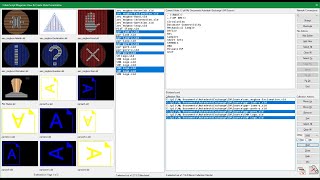
(7) Vslide Script Magician (SMV) – uses a custom dialog box to display & select previously created slides to create a Script file that presents the collected slides onto the graphic screen.