Quick Mleader Contents Plus
Popis
* QUICK MLEADER CONTENTS PLUS – Turbocharge Your Autodesk® AutoCAD® Annotation Workflow
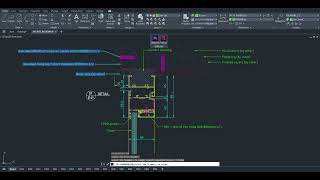
Meet QUICK MLEADER CONTENTS PLUS, the ultimate AutoCAD plugin built to revolutionize how architects, engineers, and designers handle annotations. This powerhouse tool delivers a seamless, high-efficiency experience with customizable content libraries, dynamic previews, and unlimited group management.
Say goodbye to repetitive typing and manual tweaks. Instead, organize your annotations into unlimited groups and multiline contents, tailor MLeader styles, layers, and background masking, and enjoy a streamlined interface that saves hours on every project. Add, edit, or remove items effortlessly - your annotation workflow just got smarter and faster.
* Smart Switch – Intelligent Placement, Lightning Fast
At the core of QUICK MLEADER CONTENTS PLUS is Smart Switch, the game-changing feature that redefines speed and flexibility. Need to insert multiple MLeaders with different content? No problem.
- Multi-select contents from your library
- Reorder with intuitive Up/Down buttons
- Enter placement mode and switch content on-the-fly
No more dialog fatigue or constant clicking. Smart Switch slashes placement time by up to 70%, reduces errors, and keeps your creative momentum flowing. With real-time previews and auto-adjusting justification, every annotation lands perfectly—left or right—based on cursor position. It’s not just a feature—it’s your productivity accelerator.
* Import/Export – Seamless Data Connectivity
Managing large content libraries or working with teams? QUICK MLEADER CONTENTS PLUS makes it effortless with robust Import/Export capabilities.
- Export groups and contents to Excel
- Edit, back up securely, or share across teams
- Import back in seconds—no data loss, no re-entry
- Integrated Grammar Check: Guarantee professional quality in every drawing. The built‑in Grammar Check feature (powered by an advanced online engine) scans your entire library to detect and correct errors, ensuring your documentation is always polished and error‑free.
Perfect for large team projects, this ensures quick synchronization across devices or software, reducing risks and enhancing collaboration. Whether you're scaling up or streamlining, Import/Export turns your plugin into a personalized data hub, giving you a competitive edge in any design workflow.
* MLEADER ALIGN – Precision Alignment Made Easy
Take annotation precision even further with MLEADER ALIGN, the perfect companion command. Align multiple MLeaders to a base one in seconds:
- Select your base MLeader
- Pick others to align
- Watch as they automatically align together
No more manual adjustments. Achieve consistent layouts, cleaner drawings, and faster post-editing. It’s the smart way to maintain professional standards across complex designs.
* QUICK MLEADER CONTENTS PLUS isn’t just a plugin—it’s your trusty ally, delivering a competitive edge in today’s fast-paced design industry. Unlock unlimited potential today – efficiency redefined!