
PageNo
Beschreibung
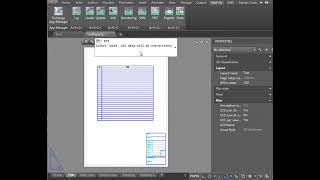
Using this plugin, you can quickly renumber the sheets. If you have to manually loop through all drawing sheets to write a sheet number, this program will radically speed up your work. Just call the command PNO (PageNo), and it will find the blocks with the attribute "PageNo" and put numbers. You can use Autodesk® AutoCAD® sheets (Layouts) or fill blocks in the model—the program will work in both cases.
In addition, the program can:
-
Write the total number of sheets.
-
Number sheet tabs and rename them, taking the drawing name from the title block.
-
Search for viewports and ModelDoc (ViewBase) views on sheets and write their scale in title blocks.
-
Fill in any other attributes of title blocks with texts or field codes. For example, indicate the Detailer, Client, Date, etc. on all sheets.
-
Search for drawing names in blocks and create a table of contents.
-
Copy the table of contents to the clipboard for subsequent pasting into a text field, table, or TXT, Word, or Excel file.
-
Skip sheets with the same name in the table of contents.
-
Customize the names of the attributes you are looking for.
-
Customize the starting number of the first sheet.
-
Search for the "Contents" table and insert the table of contents into it.
With the program free of charge, commands work with tables "Paste To Table" (PTT) and "SplitTable". As you know, you cannot just copy the cells from Excel and paste them into Autodesk® AutoCAD®. This defect is partly compensated by the command "Paste To Table". With its help, you can insert in the AutoCAD table any texts separated by tabs and line breaks. Including data copied to the clipboard using the "PNo" command. And the command "SplitTable" will help to send to the printer a table that does not fit into one layout.
Regardless of the AutoCAD localization language, you can switch the plugin to English, Italian, German, Russian, Chinese (PRC), Spanish, French, or Turkish localization.
Download the example DWG file here.
Test-Beschreibung
To run the plugin, you will have to register account and top up your account balance or receiving bonuses.
- Annual license - 10 Euro.
- Unlimited license - 50 Euro. Free updates for 1 year.
- The trial period is 20 days.



Эта надстройка очень облегчила мой труд! Большое спасибо!
Нумерует листы, составляет таблицу с оглавлением 👍
Есть, куда программе развиваться, был бы рад обновлениям!