
CTC CIM Project Suite 2026


Digitally signed app
Описание
This setup will install add-in tools for Autodesk® Civil 3D® 2022, 2023, 2024, 2025, and 2026.
Feature Line to Alignment (Free):
Creates an Alignment and Layout Profile from a Feature Line or Survey Figure.
Parts Swapper (Free):
Allows for multiple Pipe Network parts (Structures and Pipes) to be swapped for alternative parts, simultaneously, by selection in Plan, Profile view, and by entire Pipe Network.
Survey Sweeper (Free):
Simultaneously delete selected Survey Points and Survey Figures from drawings and Survey Databases.
Corridor Cleanup (Free):
Select multiple Corridors, Baselines, or Regions, and in one click, remove all Surface, Width, and/or Slope Targets.
Auto Grader (Trial):
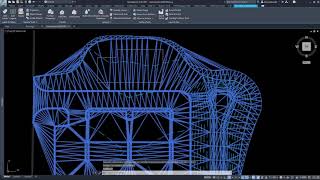
Create dynamic site grading models by linking feature line sets. Surface breaklines are automatically managed. Save design templates for future use.
Clash Seeker (Trial):
Clash Seeker is a set of tools that will assist with running checks for object collisions, creating reports of said collisions, and updating and managing objects within the clash reports.
Corridor Mapper (Trial):
Automatically assign corridor targets by mapping subassemblies to layers, styles, object names or other subassemblies to create a dynamic link that updates the corridor as more target objects are created.
Corridor Merger (Trial):
Merge two or more Corridors into one, maintain all Targets and settings.
Corridor Splitter (Trial):
Splits a single Corridor into two.
Data Wizard (Trial):
Data Wizard is a set of commands that help create Autodesk® AutoCAD® spreadsheet tables from AutoCAD and Civil 3D entities.
Earthwork Processor (Trial):
Calculate complex site earthworks thru dynamic Civil 3D surfaces and automatically label, table, and shade results.
Label Genie (Trial):
Automate labeling across projects, including Civil 3D and AutoCAD annotation, on multiple drawings and layouts at once, in plan, profile or section. Save labeling templates for future use.
Parts Tagger (Trial):
Auto-populate one or more Pipe Network Part’s properties for Labeling or Tabling, including the following fields: Grate, Cover, Frame, Material, Rim Offset, Sump, Reference Surface, Reference Alignment, and Description.
Pipe Designer (Trial):
Design pipe runs inside the Civil 3D drawing using a spreadsheet editor.
Pipe Planner (Trial):
Edit and analyze pipe networks in external or in-app spreadsheets.
Sheet Generator (Trial):
Sheet Generator is a multi-function, workflow-based solution for the creation and editing of Plan/Profile, Plan/Plan, or Profile/Profile sheets.
Note: This app uses a custom installer (and not the standard Autodesk App Store installer).
Описание пробной версии
This suite contains four free tools that will work without any limitations. Other tools can be used for the trial period of 14 days. After that, users must purchase this suite to continue using the trial products.



Worked great for me personally.
Just wondering when if there is 2026 version availabe!
Cristy, we are glad that you are enjoying the tool. 2026 version is available for download if you click the download button here on the app store.
Thanks for getting back to me. It's just that the description mentioned only up to 2025. Thanks again!!
I cannot speak more highly of this software add-on to Civil3D. I'm still learning a healthy portion of the tools available, but I have used this software at multiple firms now, all of which I convinced the company to make the purchase. The tools included in this add-on are absolutely amazing at reducing time spent on projects, not only for design but also for production. The pipe designer and autograder are my most frequently used as I have taken the time to research and learn to use them, but I'm excited to continue learning what the other tools have to offer.
QUE PRECIO TIENE?
SOY TOPOGRAFO EN MEDELLIN COLOMBIA Y ME GUSTARIA CONTAR CON ESTA APLICACION.
Giovanny. We can assist with providing pricing. if you want to contact us directly (sales@ctcsoftware.com) someone from our team will be happy to assist with getting you pricing. Thank You for downloading.
Im about 6 months or so into using CIM Project Suite. The learning curve is well worth the time. At first I thought this will be an add-on that was just another Menu bar with a 10% usage. I tune into CTC's webinars weekly and keep up with features and function. The Lable genie on it's own can pay for the cost. I can label an entire site plan with spot elevations in under 1-minute. Autograder is actually fun to watch when applied. One Parent style featureline is all that is needed and the rest automates. Curb and Gutter, Lot lines, perpendicualr Lot Pads. Take you pick. I'm writing this review on a small part of the CIM Project suite tools. As I stated take the time and watch youtube videos of this tool in action. You'll be glad you did.
Great chance to try the paid tools and see if they fit into my workflow. Even the free tools are great and save me time!
Why doesn't Civil 3D do this already!?