
PMeasure
免費
作業系統:
語言:
說明
PMeasure is a plugin designed to streamline 2D measurement workflows with precision and clarity.
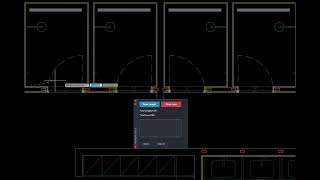
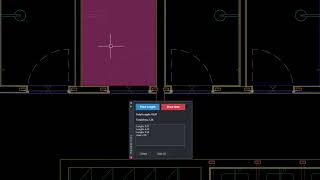
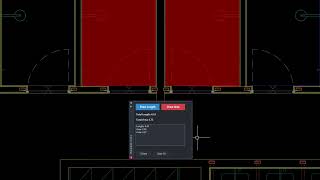
It introduces two intuitive commands - P_LENGTH and P_AREA allowing users to draw polylines and instantly compute total lengths and areas.
A custom dark-themed palette provides real-time feedback, log tracking, and instant access to tools, ensuring a clean and productive drafting experience.
Key Features:
- Interactive palette with live display of total length and area.
- Command-based drawing tools for length (P_LENGTH) and area (P_AREA) with hatch support.
- Automatic creation and management of dedicated layers for clear visual separation.
- User action log with entry deletion and full reset functionality.
關於此版本
版本 1.0.0, 2026/3/29
Includes core functionality for drawing and measuring 2D lengths and areas via P_LENGTH and P_AREA commands.


Pmeasure is unknown command, how can I fix it?
Hi! The commands you are looking for are P_LENGTH and P_AREA. Try opening the Measure palette from the Add-ins ribbon and you should see the commands there.If they still dont appear, let me know which version of AutoCAD you are using
Hi, I used Autocad 2024, I try using the P_LENGHT and P_AREA, still did not work. I also reinstall it and restart my computer but the problem persists. Thank you edit: I just re-install again and It works. Very useful tool. I like it.
Very straight forward add-on, clean interface, and quick. Thank you so much.
Thank you, Bernardo! Really appreciate your feedback.
Simple and clean, thanks. Would be even better with a few more functions. A caclulator maybe.
Ethan, new features and updates will come next year
Measurements are straightforward; P_LENGTH and P_AREA updated totals instantly and kept things clean.