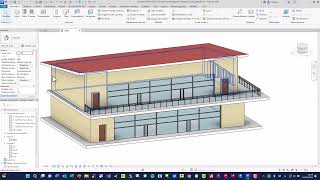
ArchVISION OFFICE for Autodesk® Revit®


Digitally signed app
描述
ArchVISION OFFICE for Autodesk® Revit® 27.0 is the quantity takeoff plugin that offers maximum professional flexibility. It leverages Revit's interaction with the most widely used office automation suite worldwide, eliminating the need for other specific software. It generates the quantity takeoff in Excel (XLSX) and Word (DOCX) formats, allowing for maximum versatility in sharing quantity takeoff work.
The software enables direct, bidirectional communication between Autodesk Revit and Office without the need to export IFC files or other intermediate formats. ArchVISION OFFICE for REVIT commands are integrated into the Revit menu, and the dialogue with Excel is direct and dynamic. This allows for immediate synchronization of the quantity takeoff as the BIM model changes, significantly reducing input time and errors.
The software comes complete with the PRO (multi-level WBS structures), MEP (Plant and System Quantity Takeoff), and IFC (IFC Project Quantity Takeoff) modules.
With ArchVISION OFFICE for REVIT, add value to your quantity takeoff work:
· Increase your firm's productivity
· It's simple. Integrate the command bar directly into Revit
· Clear, detailed, and flexible output. Customize the structure of your quantity takeoff
· Efficient and flexible. Adapts to your way of working
· Automate quantity takeoff. Speed and drastically reduce errors
· Powerful and reliable. From small residential projects to large infrastructure projects
FEATURES AND REQUIREMENTS
ArchVISION OFFICE for REVIT has a multilingual interface (IT, EN, FR, ES, DE) and is compatible with any Autodesk Suite or Collection that includes Revit (Versions 2026-2021) in IT, EN, FR, ES, and DE for the Architecture, Structure, and MEP disciplines.
It is compatible with Microsoft Office from version 2007 up to the latest Office 365.
MAIN FEATURES
ArchVISION OFFICE for REVIT 27.0 increases the level of configuration and customization of quantity survey parameters, allowing for time savings and an increasingly precise level of detail.
Key features:
- Drag & Drop from Microsoft Excel and Word directly into Revit
- Quick Calculation
- Revit-FIND
- Automatically deduct doors and windows from the walls in which they are inserted
- Worksharing management of calculations and related information (Price Lists, Categories, etc.)
- Filtered management across three levels (SuperCategories, Categories, and SubCategories in Excel and Word)
- Computation of elements and families with "Shared and Custom Global Parameters"
- Computation of stratification and materials (Parts), also available in the "Walls," "Floors," "Suspended Ceilings," and "Roofs" system families, and the materials used in them
- Complete integration into the Revit ribbon
- "Multi-Document" management
- Material schedules automatically created and managed by the software
- Automatic labeling in detail drawings
- Direct remote assistance from MCS staff Software
COMMERCIAL INFORMATION
Subscription plans are available for three months, six months, one year, two years, and three years, starting at €547.
Perpetual licenses (Maintenance) are also available.
The software is provided free of charge to teachers, institutions, and students enrolled in any faculty.
Price list in euros (excluding 22% VAT)
NOTES
For more information, please refer to the following online documentation:
Product Data Sheet
List of new features in this release
List of computed quantities in this release
Detailed product data sheet
Company and product brochure
How Cloud Licensing Works
Cloud Licensing management and credentials are stored in a file (ArchVISION OFFICE for REVIT.lic) that can be copied and shared across multiple computers.
ATT. The application uses a custom installer (not the standard App Store installer).
试用版描述
By default, the free trial version lasts 10 days and includes the first 60 selected entities (duration and quantity can be customized based on specific and justified needs).
Telephone, remote, and email support is free and available to all customers with the latest perpetual version, for all Cloud licenses, and for all free trial versions.
Subsequently, the product's professional license can be activated with a rental plan or purchased directly from the company's e-store or via bank transfer. All work done with the trial version will be preserved and still usable.